Enhanced security, better agent control, and new AI models
Back-to-school on Swiftask! We've prepared some great new updates for you.
A new season means new challenges and projects picking back up at full speed. To help you navigate this September with peace of mind, we’ve built some exciting improvements into your workspace: enhanced security, easier-to-customize assistants, and new AI models to explore.
Here is a practical overview focused on what this changes for you day-to-day:
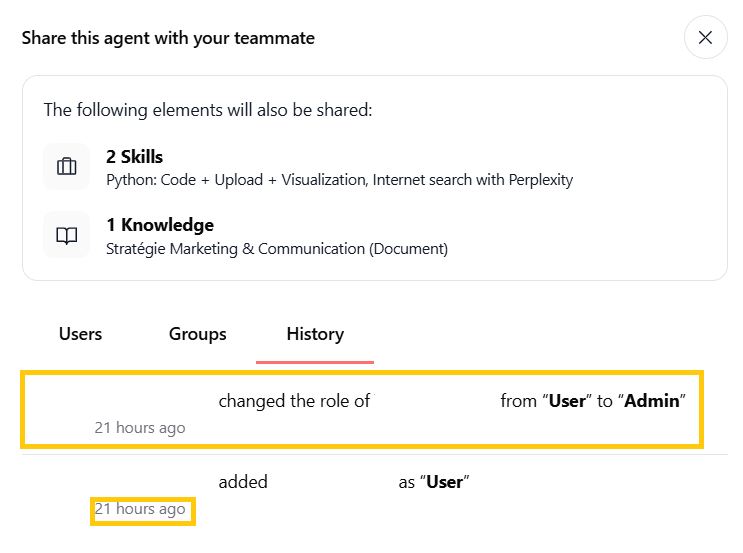
1. Access History for Shared Resources
The sharing settings now feature a dedicated audit tab accessible everywhere across Swiftask—whether for an agent, a resource (document, folder), an artifact, and more. It automatically logs every access attempt and permission change.
You maintain full visibility over the governance of your data and tools. At any time, regardless of the type of shared item, you can track permission changes (such as a role upgrade from Viewer to Editor, the exact timestamp, and who made the change) to keep your environment secure.
Whenever you open the sharing options for an agent, document, or artifact, head over to the Access History tab. You'll find a complete chronological list of role modifications made by your team, ensuring every access right remains under control.
2. Simplified Custom Agent Duplication
A new duplication interface allows you to clone an existing agent while selecting exactly which elements to keep.
Save precious time when creating new assistants. No need to reconfigure everything manually—start from a proven baseline and adapt it in seconds.
Use Case: To adapt a "France Customer Support" agent for the Spanish market, simply click Duplicate, preview its configuration, and swap out only its knowledge base with your translated documents. Your new assistant is ready to use immediately.


3. Centralized Agent Monitoring (Session-Centric Monitoring)
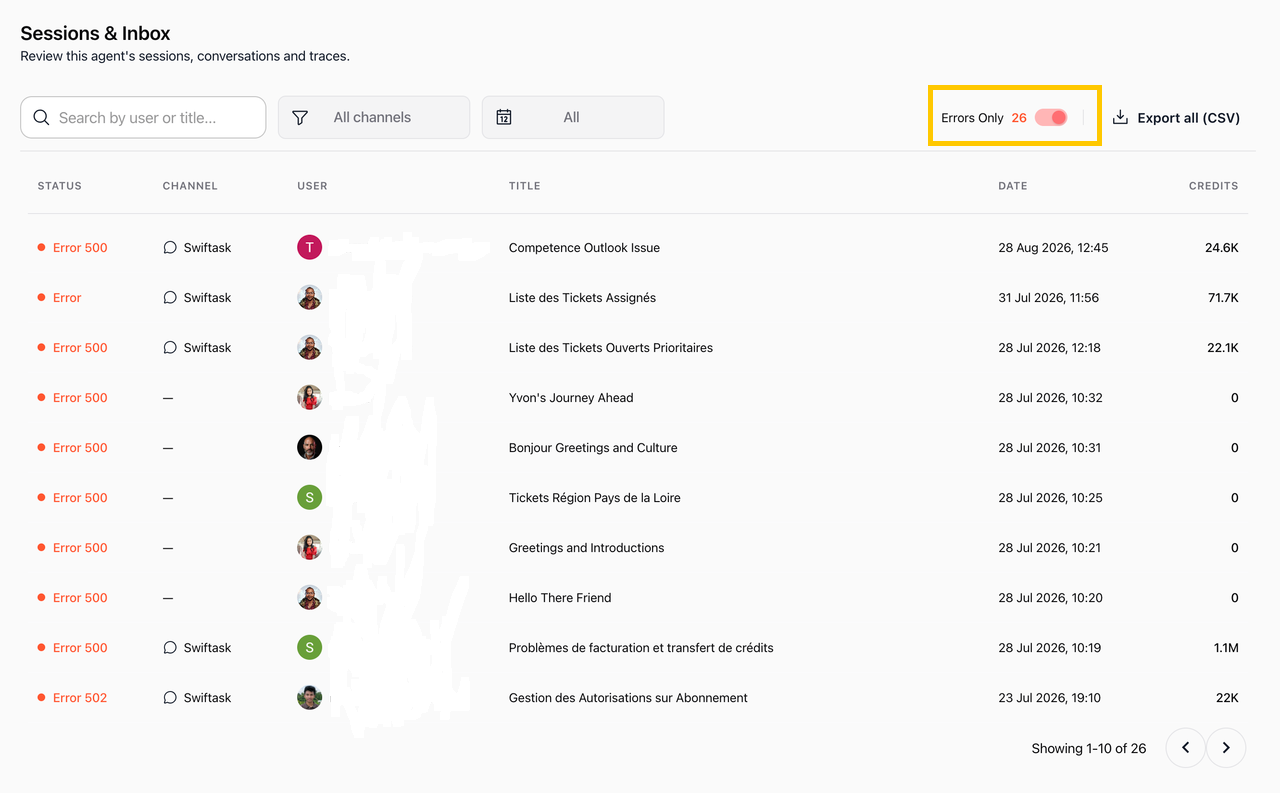
A unified dashboard now brings together all open chats with an agent alongside its error logs, helping you continuously optimize assistant performance. This bird's-eye view makes it easy to understand how your agents are being queried and instantly spot potential roadblocks in their responses.
For example, from an HR agent's monitoring tab, you can filter conversations to review a session that triggered an error, inspect the details drawer, and tweak your instructions to perfect future responses.
4. Microphone Selection During Meetings
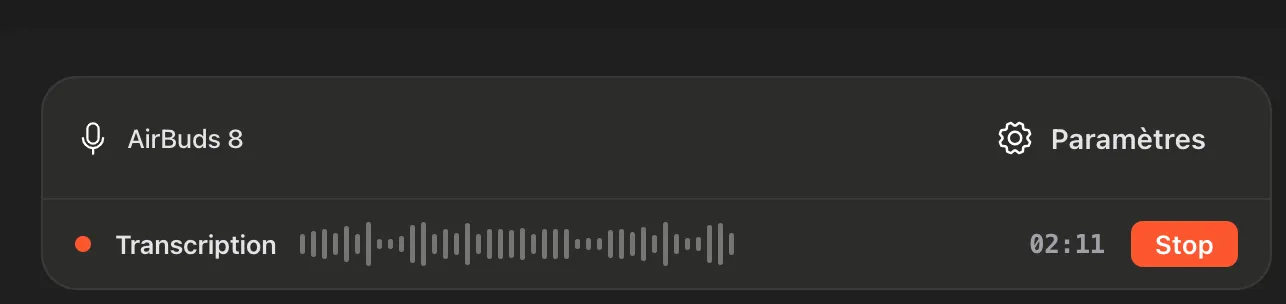
You can now view and choose the specific audio device used during your Swiftask meetings or recordings.
Avoid audio mishaps and recording interruptions. If you use multiple devices (Bluetooth headset, wireless earbuds, or built-in computer mic), you stay in control of your audio source and can fix mic issues on the fly.
When starting a meeting (Meetings ➔ Start a Meeting), your device name (e.g., AirBuds 8) appears directly on the control bar. Click Settings to switch to another connected mic without having to restart the recording or close the session.
5. Seamless Reconnection & External App Verification (Outlook & Microsoft 365)
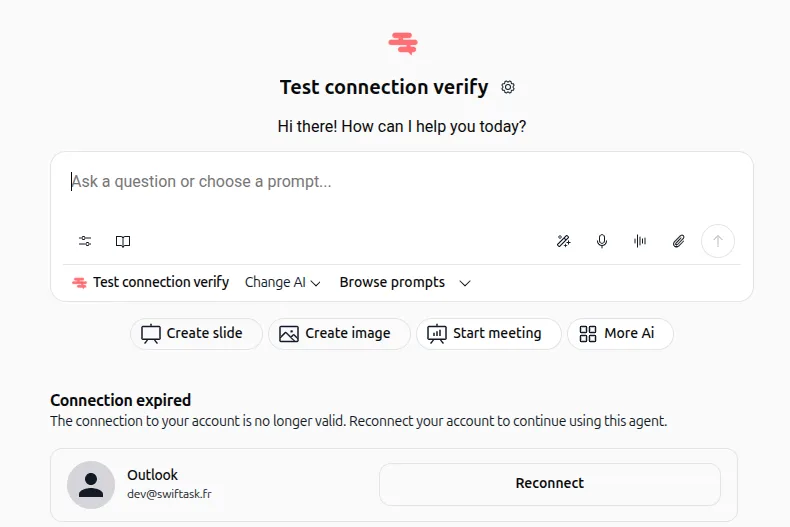
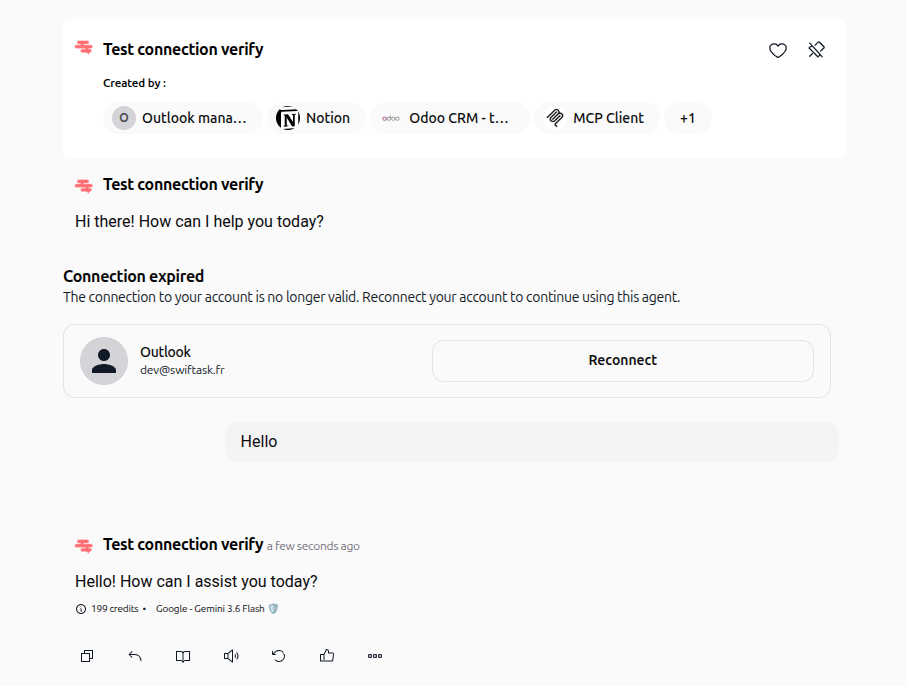
Swiftask now proactively checks the status of your connections to external apps (such as Outlook by Swiftask or Microsoft 365 by Swiftask). If your session or access token has expired, the interface detects it automatically.
This prevents unexpected interruptions and frustrating error messages midway through a chat with your assistants. Instead of an agent getting stuck claiming it no longer has access to your emails, you are notified instantly to re-authorize access.
If your Microsoft account connection expires or is revoked, a clear banner appears directly in your conversation thread. Simply click to renew your connection in seconds and resume your work without restarting the session.
6. Enhanced IdP (Identity Provider) User Provisioning
Automated synchronization between Swiftask and your enterprise identity providers (such as Okta, Entra ID / Azure AD, or Google Workspace) is now smoother and more precise.
IT teams benefit from simplified, secure administrative management. Assigning and revoking employee access and roles happens automatically during onboardings and offboardings, with zero manual input required.
When a new employee joins the team, their Swiftask account is automatically provisioned with the correct permissions as soon as they log in via your company portal.
7. Arrival of 3 New LLM Models
Our model catalog expands with the addition of Claude Sonnet 5 (via OpenRouter), Scaleway DeepSeek V4 🇫🇷🇪🇺, and Gemini 3.7 Flash.
You now have the right tool for every specific need—whether you prioritize speed, advanced programming capabilities, or strict data sovereignty.
If you are working on summaries of confidential documents, choose Scaleway DeepSeek V4 for fast processing hosted on European/French clouds. If you are developing complex scripts, assign Claude Sonnet 5 to your dedicated coding agent.
All these features are already available in your workspace! If you have any questions or need guidance getting started, our entire team is here to help.