Organize your data, empower your agents, Knowledge tables are here! — May 11, 2026 Update
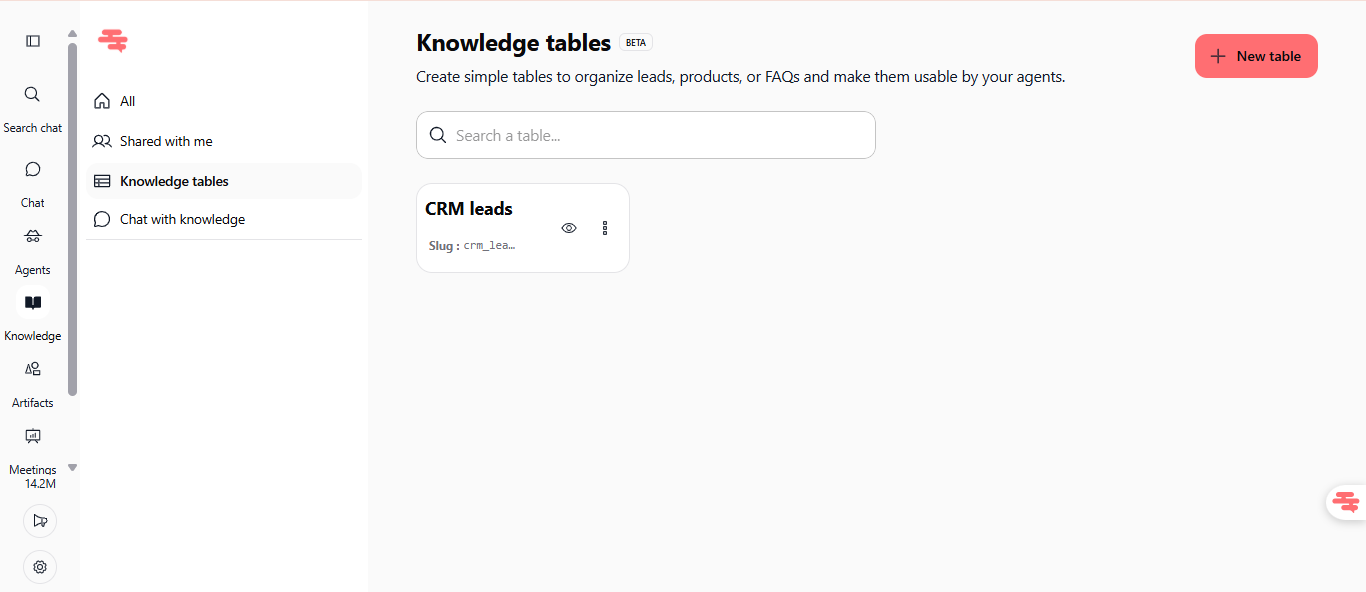
We're thrilled to introduce Knowledge tables, a new way to structure and organize your business data so your AI agents can access it instantly. No more scattered spreadsheets, keep your leads, products, FAQs, and customer information in one place, ready for your agents to use.
Knowledge tables
Create simple, organized tables for any type of business data, then connect them to your agents. Whether you're managing leads, product catalogs, or FAQ databases, knowledge tables let you structure information in a way that makes sense for your team and your AI.
Create tables with custom columns and rows, no coding required
Organize leads, products, FAQs, or any structured data you need
Agents can query and access your tables to provide accurate, data-driven responses
Available immediately in the Knowledge section: Knowledge → Knowledge tables
Search tables by name using the built-in search bar
No technical limits, create as many tables as you need
Available on all plans (Pro, Team Starter, Team Growth, and Custom)
How to test it: Navigate to Knowledge in your sidebar, click the Knowledge tables tab, then click "+ New table" to create your first table. Add columns, enter your data, and immediately make it available to your agents.
What this means for you
For team leads: Stop managing data across multiple tools. Keep your leads, products, and FAQs in Swiftask where your agents can access them in real time.
For agents: Your AI now has direct access to structured, up-to-date business data, enabling more accurate and contextual responses.
For everyone: Knowledge tables are available to all users on all plans, no restrictions, no extra cost, no setup complexity.
Getting started
Go to Knowledge → Knowledge tables
Click + New table
Name your table and add columns (text, numbers, dates, booleans, and more)
Add your data
Your agents can now query the table and use the data in their responses
Ready to organize your data? Start creating your first table today!