Swiftask Updates to Boost Your Productivity - February 2026
Here's everything that happened recently with Swiftask that you should try this month:
Artifact public sharing
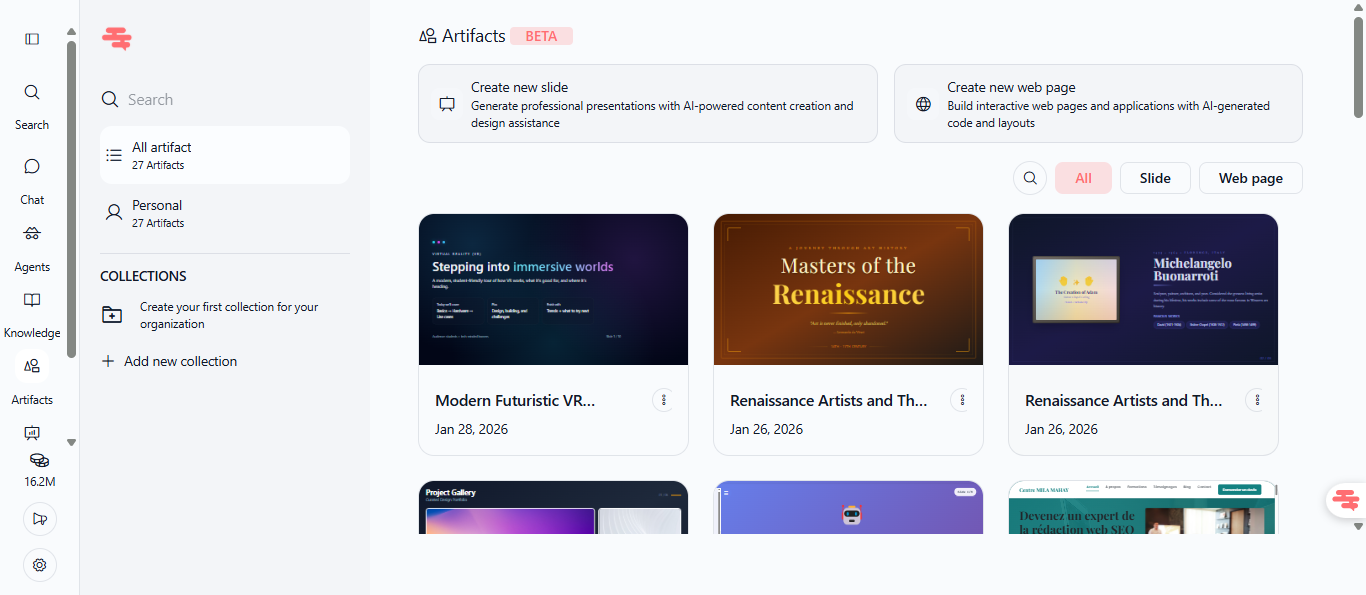
As a reminder, we created the Artifacts feature found in the left sidebar (under "Knowledge") to easily create and find all your PowerPoint presentations and websites.
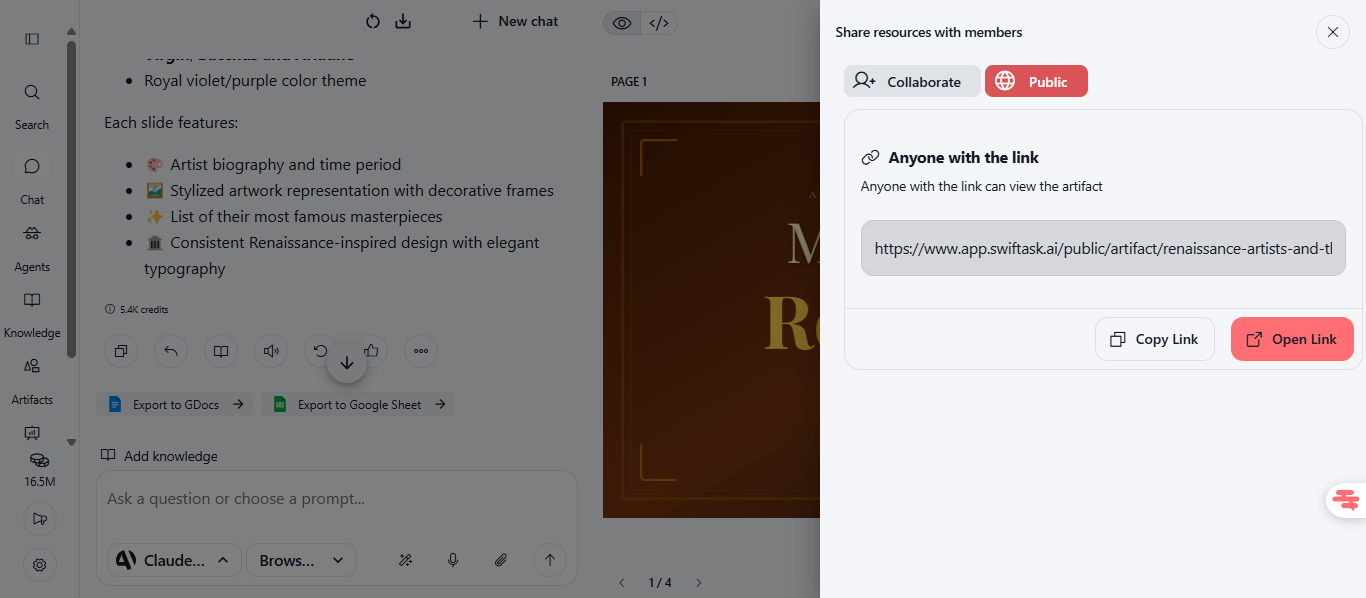
Now, you can share your presentations and web pages publicly with anyone, even without a Swiftask account. Perfect for sharing client presentations, marketing materials, or project showcases with external stakeholders.
Share both slide presentations and interactive web pages
Recipients access content via direct link without login required
Public links work across all devices and browsers
Available on all plans
Find this feature in Artifacts → Open your slide or web page → Share → Public.
To test: Share an artifact link with a colleague outside your workspace—they can open and view it immediately without needing a Swiftask account.
Useful improvements have also been made
Enhanced email automation with CC and BCC support
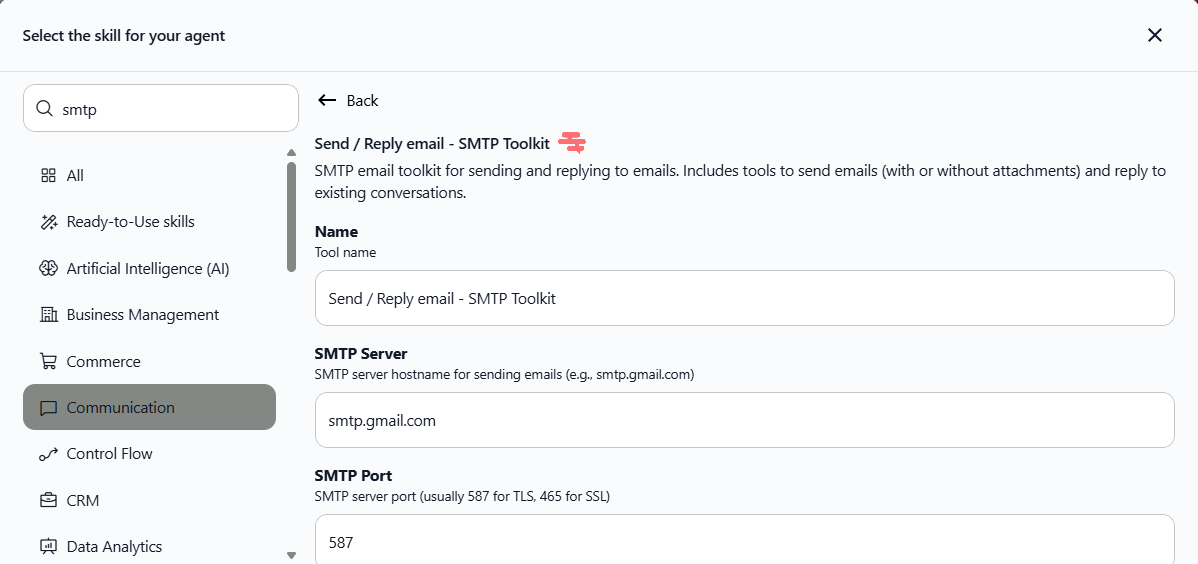
We all know that we can attach the SMTP skill to an AI agent you create so it can automatically send and reply to emails.
Using the improved SMTP skill, agents can now send emails with CC and BCC recipients. This enables more advanced email workflows like keeping managers in the loop or sending blind copies to compliance teams.
Add multiple CC and BCC email addresses
All email addresses go through validation to ensure they're properly formatted
All messages are identical for all recipients
Works with any SMTP-compatible email provider
To use the SMTP functionality, go to Agent modification → Skills → Add skills → Communication → SMTP.
To test: Ask your agent to send an email and include CC/BCC recipients to verify the functionality works correctly.
Your agents can now trigger automatic actions
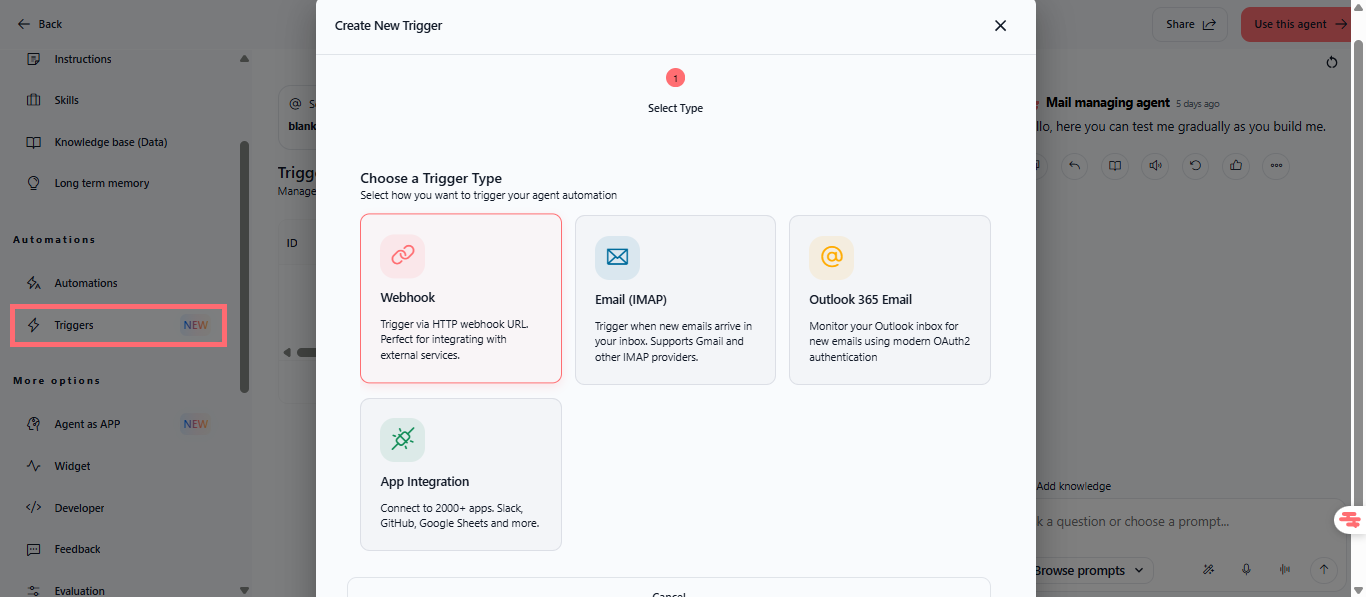
When creating your agents, you can configure an extended trigger system so they act automatically at the slightest detected movement. These triggers include Outlook email monitoring, webhook integrations...
New trigger types:
Webhook – Trigger via HTTP webhook URL for integration with external services
Email (IMAP) – Trigger when new emails arrive in your inbox. Compatible with Gmail and other IMAP providers
Outlook 365 Email – Monitor your Outlook inbox using modern OAuth2 authentication
App Integration – Connect to 2000+ apps including Slack, GitHub, and Google Sheets
Configure triggers in Agents → [Agent Name] → Edit → Triggers.
To test: Set up an Outlook trigger and test it by having a friend send an email to the monitored Outlook address.
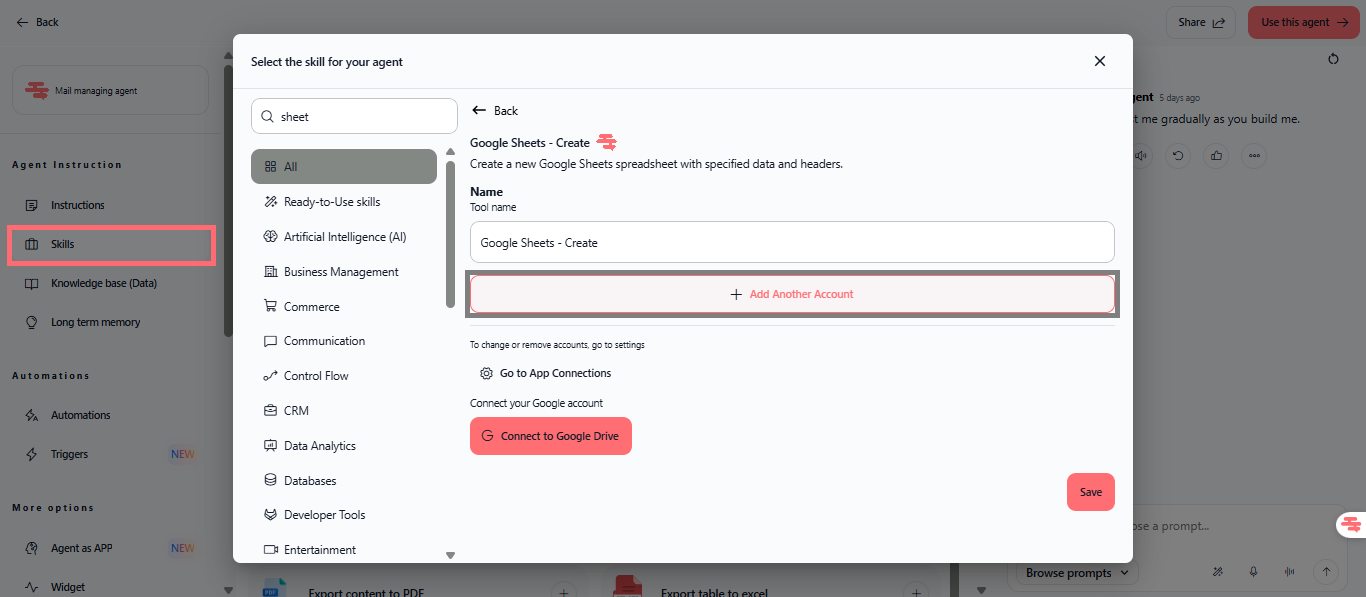
Add multiple Google accounts to Google Drive exploitation skills
As a reminder, you can attach skills to your agents that require Google account integration such as: automatic Google Sheet creation, creating files or folders in Google Drive...
Now, you can add multiple Google accounts so you can choose which Drive the agent will work in.
To make it easier for you to manage your Google accounts integrated with Swiftask agents:
Connect multiple Google Drive accounts to a skill that requires it
Agents can access files from each of the connected accounts
Improved account management
To test: Add a Google Sheet creation skill to any agent, add multiple Google Drive accounts, and choose which of these accounts it will create the file in.
All features are available on Pro, Team Starter, Team Growth, and Custom plans.