We have improved Knowledge management (import, upload, etc..)
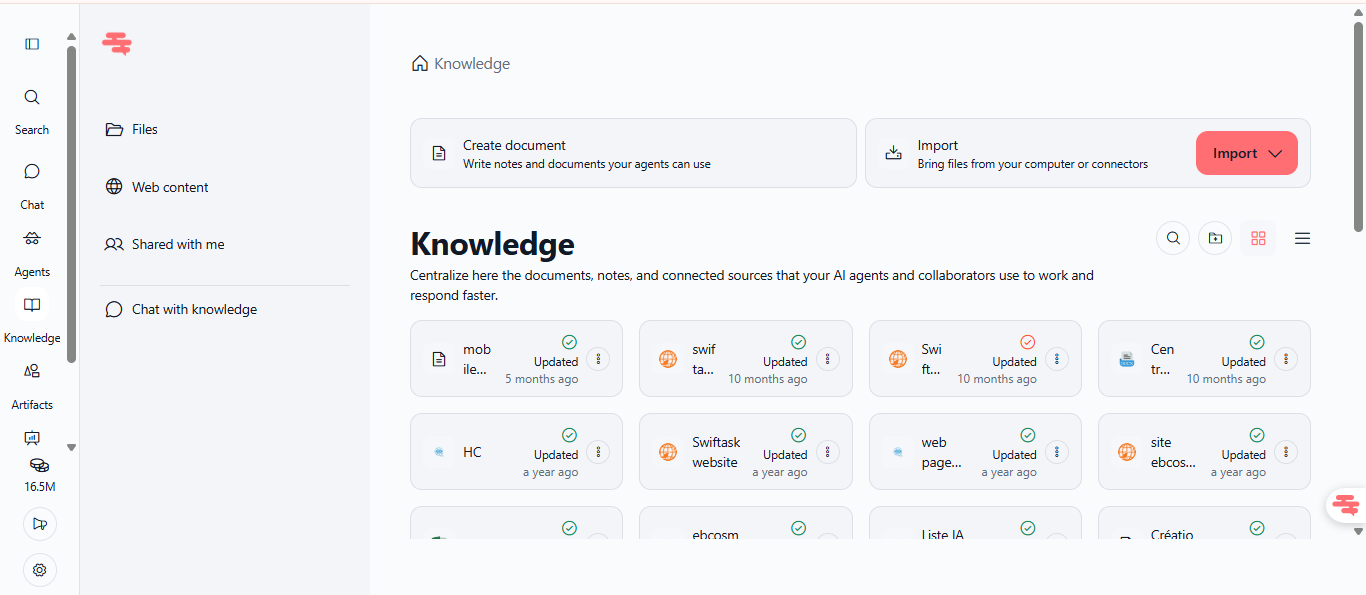
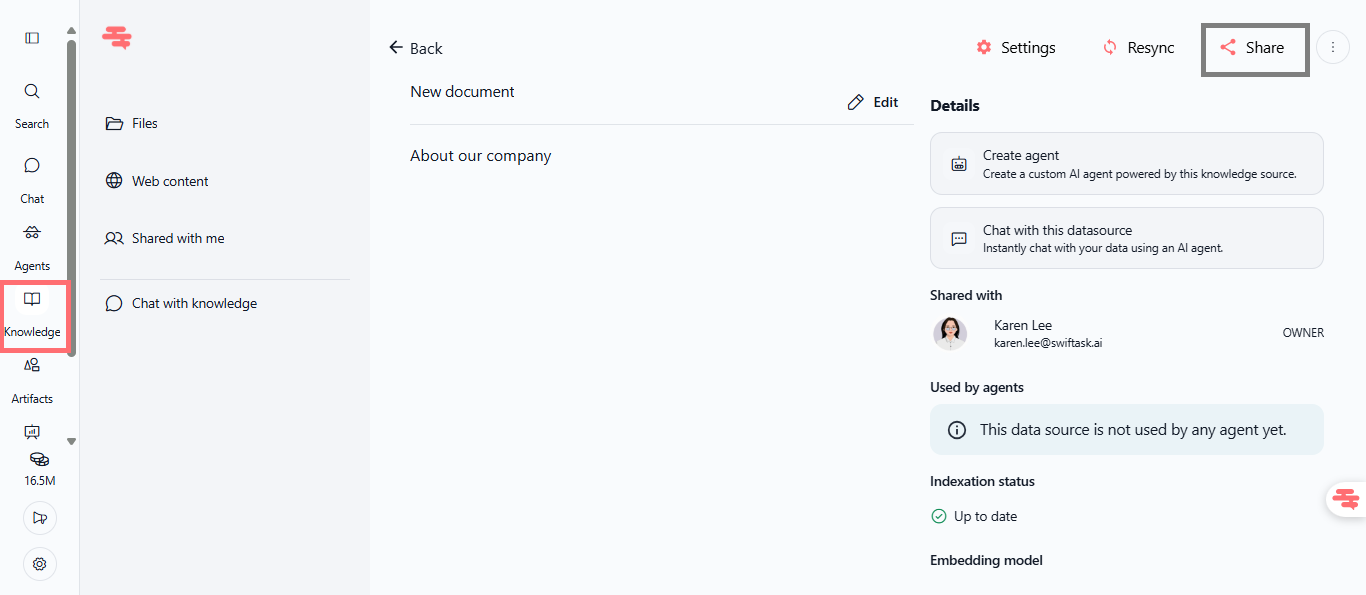
As a reminder, the Knowledge feature in Swiftask allows you to centralize all your company data: documents and knowledge in an unified system. Knowledge acts as your team's virtual storage, it keeps everyone synchronized and ensure that AI agents always have access to your company's latest information.
With Knowledge, you can:
• Quickly import documents from your computer or via cloud connectors (Google Drive, SharePoint, Dropbox…)
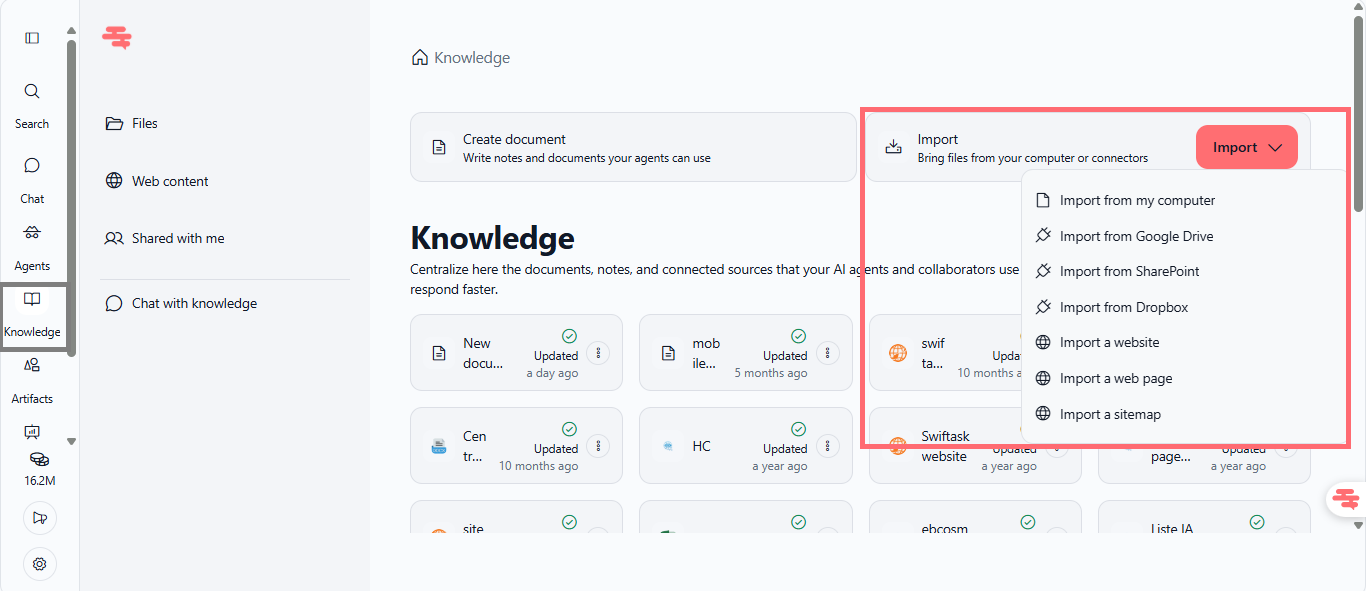
• Create documents directly in Swiftask with the built-in editor; for example, when you have fresh information after a meeting like a new process, you can immediately create a document there without going through Word or Google Docs...
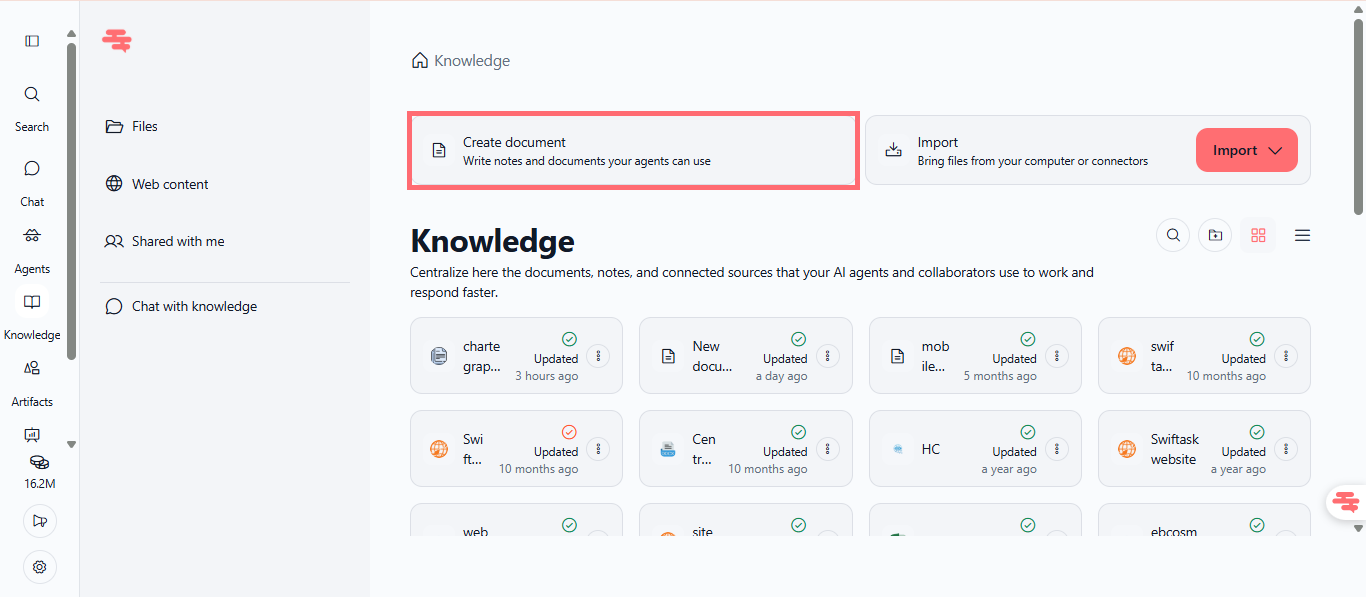
• Share documents with specific team members or groups with conditional access controls
• Automatic updates for connected agents when you modify documents
• No storage limits
Find this feature by clicking Knowledge in the left sidebar (under Agents). Available on all subscription plans.
Organize your knowledge in folders
You can organize all documents in folders like a virtual team drive; for example, you can have a Marketing folder that can be attached to any agent used by the marketing team so that all actions are consistent.
Your AI agents stay up-to-date with Knowledge
Knowledge integration with agents is now real-time. When you update folders in Knowledge, all connected agents immediately reflect these changes in their responses, eliminating outdated information and ensuring consistency across all your team's AI interactions.
Share your Knowledge
Cross-workspace document sharing with granular permissions. Team members can now share Knowledge documents with specific colleagues or groups, giving you control over who accesses sensitive company information while maintaining collaborative workflows.
Knowledge in your chats
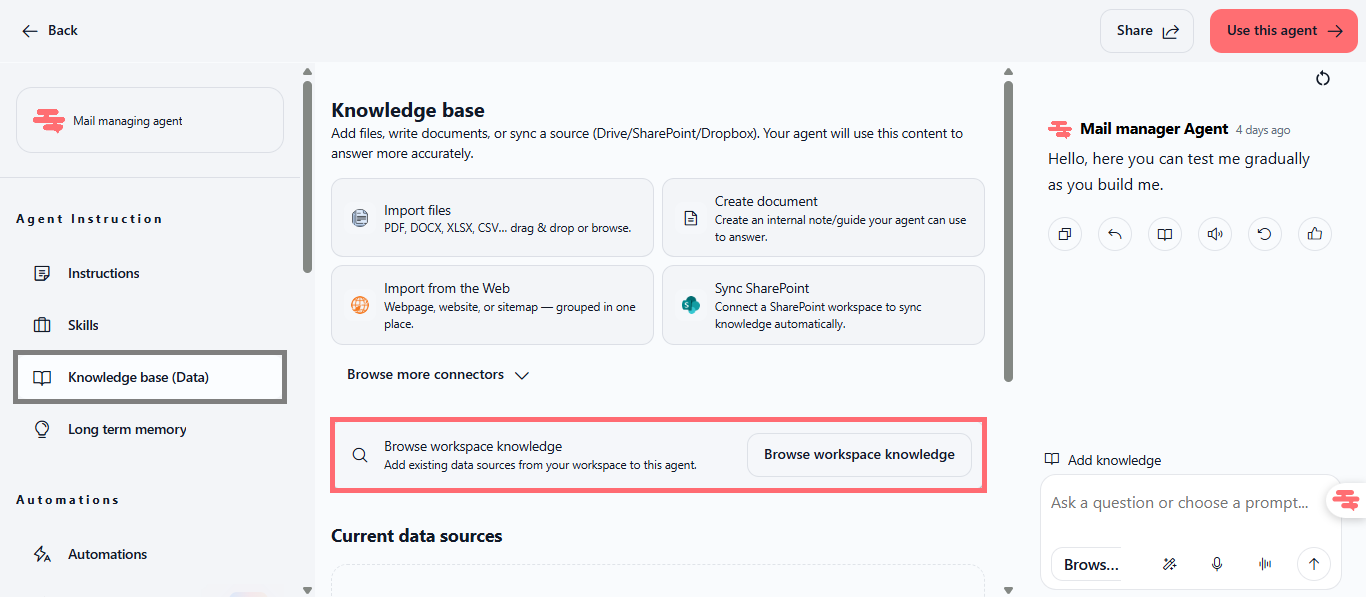
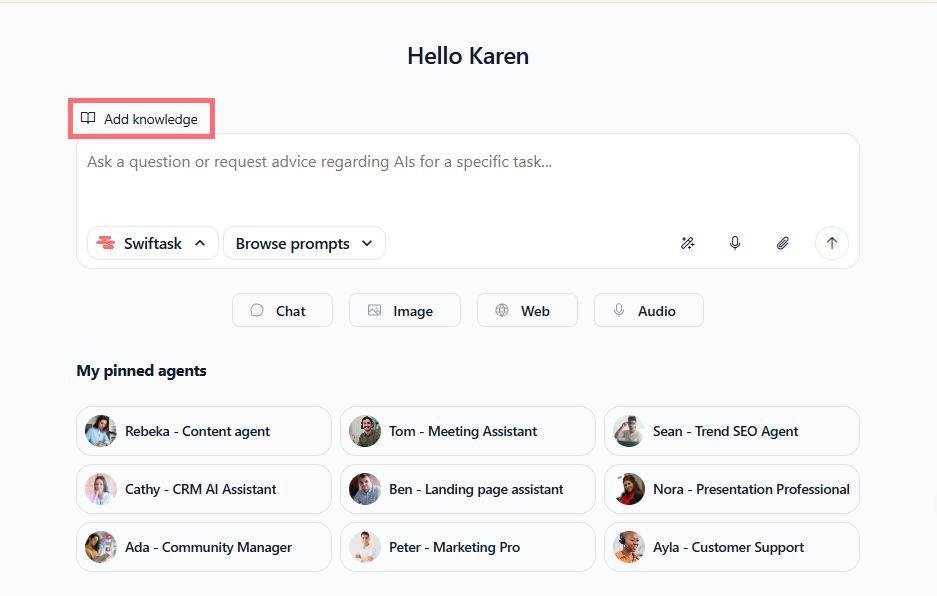
Unified document access across all Swiftask features. Documents stored in Knowledge are instantly available in Chat, Agents, and Projects with a simple "Add knowledge" button, creating a true "upload once, use everywhere" experience for your team's resources.
How to test it
Open Knowledge → Import or create a document → Open Chat → Click "Add knowledge" (top left of the input area) → Attach your document and discuss it with any AI model. The AI will respond using your document's context and your company-specific information.