New chat widget release: smoother interactions, and more features for your visitors
👋 Hello, and welcome back!
Vacations are behind us, schedules are filling up, and your website is about to see traffic pick back up. Perfect timing: the chat bubble you embed on your web pages has just taken a massive leap forward.
It is now built on the exact same foundation as the agent deployed within the main application. Anything you can do inside Swiftask, your visitors can now do directly in the chat bubble. Same features, same possibilities, same smooth experience. No more light version of the widget.
What does this actually mean for you?
This bubble is your Swiftask agent embedded directly on any webpage. Anyone who clicks on it needs no account, no setup, and no downloads: they open it, ask their question, and get an answer. Here are a few typical use cases:
A Support Agent on your website: A customer runs into an issue at 10 PM on a Sunday. Instead of waiting until Monday morning, they open the bubble, describe their problem, attach a screenshot, and walk away with a solution. Your support team only handles what truly requires human attention.
An HR Agent on your intranet: "How many days of paid leave do I have left?", "How do I report sick leave?", "Where can I find the remote work request form?". These questions pop up endlessly and pull your HR team away to handle low-value tasks. An agent connected to your internal documentation answers instantly, 24/7, without anyone having to open a support ticket.
A Public Assistance Agent: For local governments, public administrations, or non-profits: the bubble answers citizens' questions regarding administrative procedures, opening hours, or required documents. Accessible to everyone, no account required, available around the clock.
A Pre-sales Agent on your product pages: A prospective client hesitates and has three quick questions they would never bother submitting through a contact form. The bubble captures that exact moment. They get their answers, and you capture a lead that would have otherwise left without a trace.
Real-time streaming responses
This used to be a major pain point. Until now, visitors would send a message… and stare at a frozen screen. Five, eight, ten seconds of total silence, and then the entire response would drop at once.
The issue? That visitor doesn't know you yet. Faced with a frozen screen, they don't think "It's processing"; they think "It's broken". So they either resend the message or close the tab altogether.
Now, the response streams in right before their eyes, word for word, from the very first second. They immediately see that it's working, start reading right away, and waiting becomes invisible.
See the Agent at work
Your agents don't just generate text answers: they search the web, consult their knowledge base, query connected tools, or send emails. These actions take time, and until now, they happened entirely in the dark.
Now, your visitors can follow the work in progress in real time. Whenever the agent triggers a skill, the action displays step-by-step as it happens.
This turns waiting into an engaging experience: waiting ten seconds while seeing "Searching internal documents..." feels entirely different from waiting ten seconds in front of a blank screen. It also builds trust: an employee who sees the HR agent consult the official company policy before answering grants that response far more credibility. It's no longer a black box making assertions; it's an assistant demonstrating its work.
Well-organized conversations
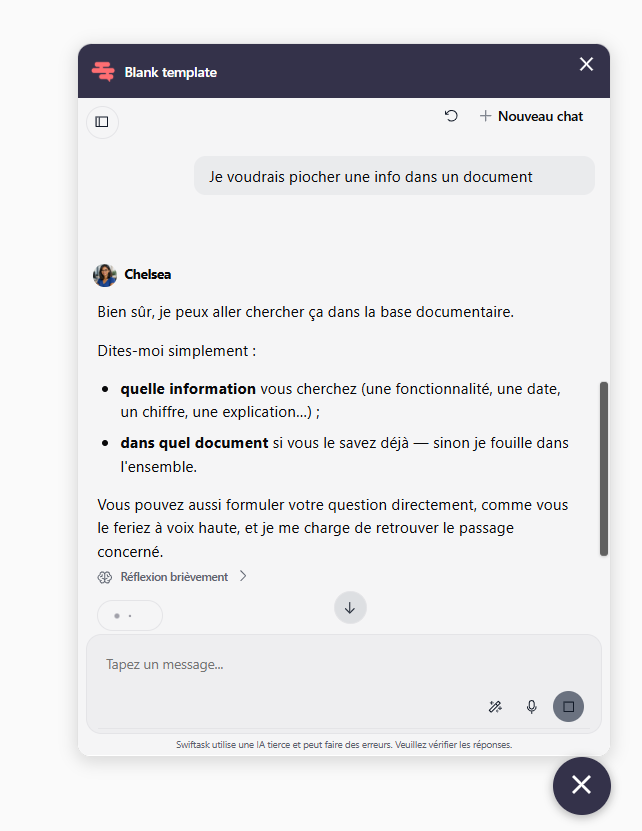
Previously, everything was stacked into a single, continuous thread. A returning visitor with an unrelated question saw their new request tacked onto the old discussion. The agent carried all the previous context along, running the risk of giving an off-topic answer.
The widget now supports full session management, just like the Swiftask app. Each conversation lives in its own dedicated space, complete with its own history and context.
Imagine a customer who wrote to you on Monday regarding an order and comes back on Thursday with a billing question: two distinct threads, two clean contexts, and they can easily jump back to Monday's exchange if needed.
Voice conversations
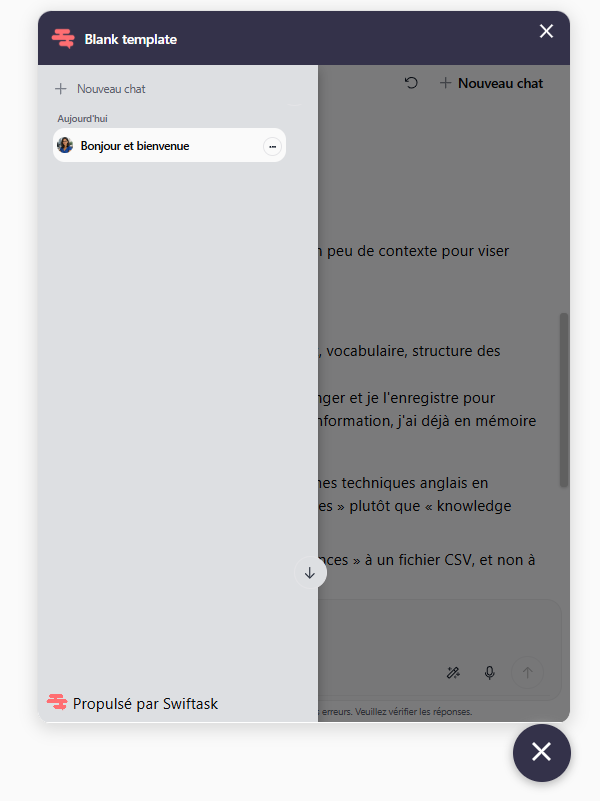
Your visitors can now speak directly to your agent instead of typing. With a single click on the microphone icon, they ask their question out loud, and the agent understands and responds.
While it might seem like a minor addition, it is actually a game-changer. The vast majority of your visitors arrive from mobile devices, where typing long, detailed messages can be tedious. Using voice, they can explain their situation in fifteen seconds with all the necessary details—where they might have otherwise typed just three keywords. Your agent receives a complete request and provides a much better answer.
This is critical for public service agents or field operations: a user who struggles with written text, a technician with their hands full, or a senior citizen navigating an administrative form. Voice opens the door to everyone left behind by the keyboard.
File sharing
Your visitors can now attach files directly from their computer or mobile device into the conversation. No need to switch to email or submit a separate form: everything is handled within the same chat, and your agent works directly on the received file.
A screenshot of an error message for your support agent. A pay stub to analyze for your HR agent. A photo of an administrative letter for your public assistance agent. A project specification document for your pre-sales agent. In every case, the conversation kicks off with the actual document right in front of the agent rather than a vague description.
A bubble that matches your brand
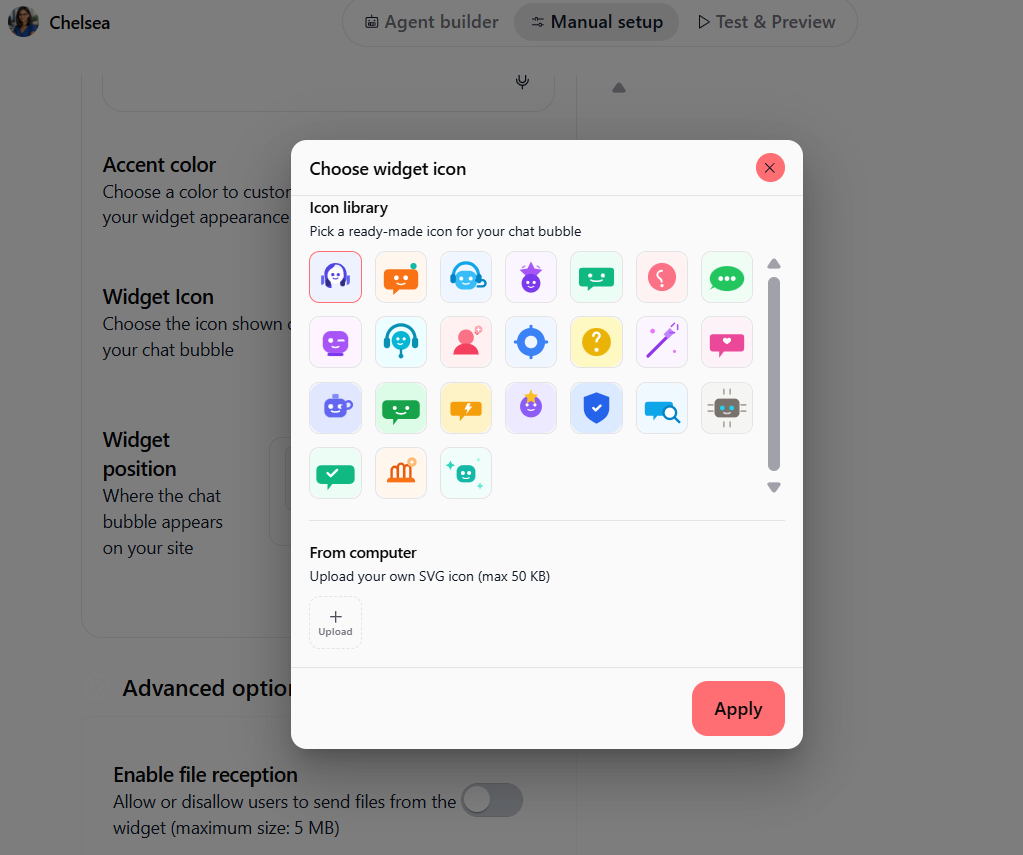
The selection of icons for the floating action button has expanded significantly: you now have a wide array of icons to choose from to fit your brand identity. It’s a subtle detail, but it’s also the very first element your visitors see of your agent—it might as well look like you.
Where to set this up?
Navigate to Agents ➔ Select an Agent ➔ Configure Agent ➔ Chat Bubble (Widget) ➔ Integration or Appearance.
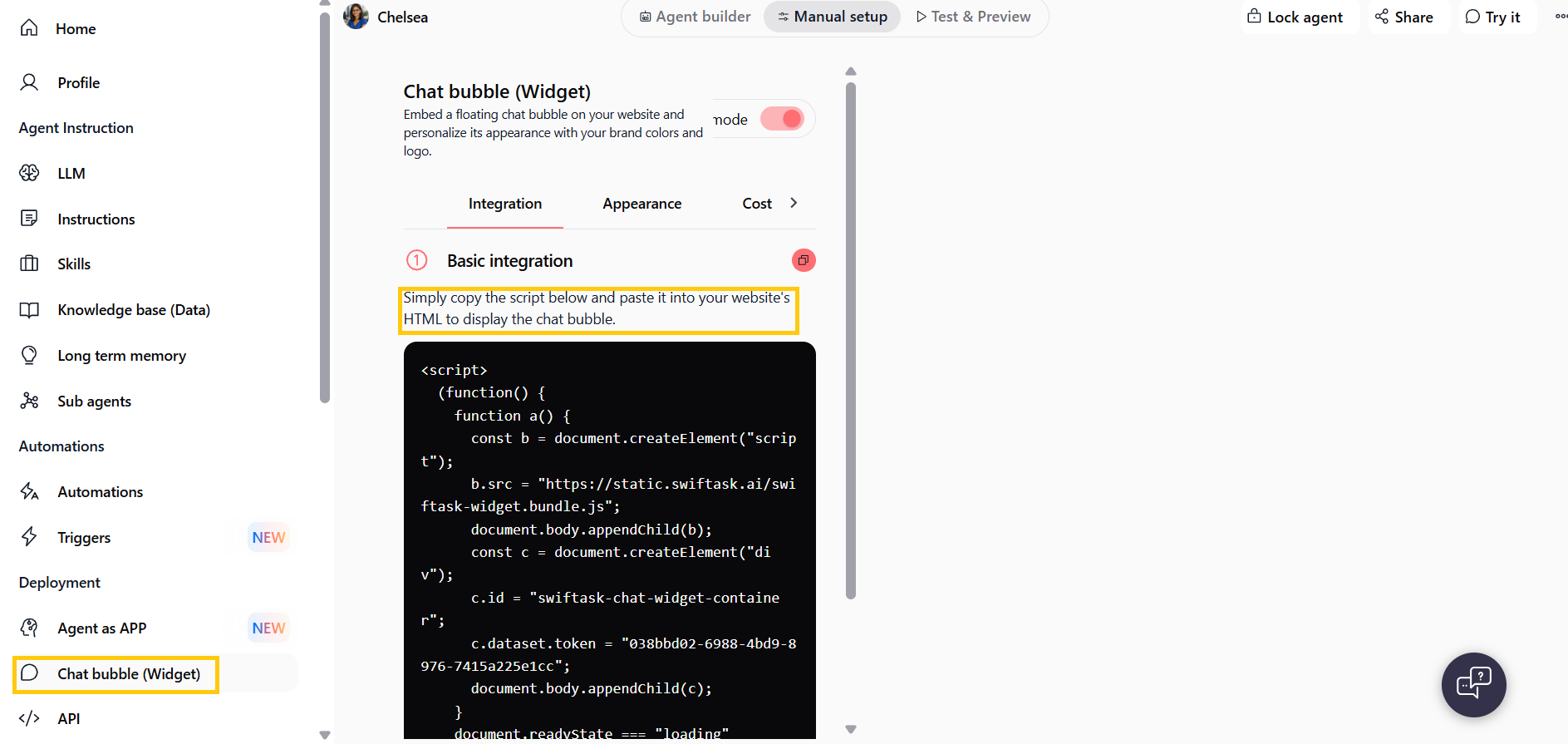
Already have a widget deployed live on your site? Everything updates automatically! Still, take a quick trip over to your website and test asking your agent a question—experiencing the new flow from your visitors' perspective is the best way to appreciate the upgrade.