April 1st, 2026

Lightning-fast Python code execution: 3-4x speedup with E2B optimization — Update April 2026

Your data analysis just got a major performance boost. We've rebuilt the Python: Code + Upload + Visualization skill from the ground up with E2B sandbox optimization, persistent kernel state, and intelligent error handling. Code runs faster, costs less, and fails more gracefully.


Optimized execution with E2B sandbox

Python code now runs in an isolated E2B sandbox environment with a persistent kernel. This means your code executes 3-4× faster than traditional approaches, with reduced overhead and zero conflicts between executions.

  • Faster execution: Code runs in ~400ms cold start (vs 2+ seconds with standard setups)

  • Better reliability: Isolated execution prevents conflicts and state corruption

  • Persistent state: Variables and imports maintained across multiple executions in the same session—no redundant initialization overhead


Reduced token usage and costs

The tool now intelligently manages Python package installations, cutting your credit consumption by up to 35-40% on typical Python tasks.

  • Smart package detection: Required packages identified and installed once per session (not on every execution)

  • Fewer LLM calls: Reduced back-and-forth communication with the AI model means faster responses

  • Lower costs: Optimized token usage significantly reduces credit consumption for Python operations


Improved error handling

When code fails, the system now corrects it efficiently without wasting credits on full code regeneration.

  • Clearer error messages: Better feedback when code execution fails, helping you debug faster

  • Intelligent error correction: Only the specific line with the error is modified (similar to artifacts), not the entire code block—reducing credit waste by up to 40%

  • Better tracking: Improved monitoring of execution time and resource usage for transparency


Enhanced file processing

File uploads and outputs are now more reliable and faster to access.

  • Better upload management: Improved handling of uploaded files in the sandbox environment

  • Reliable output generation: Generated files (charts, processed data, exports) are now consistently available

  • Direct download links: All generated files are provided with direct URLs in the chat—no extra steps


How to test it

  1. Open Chat in Swiftask

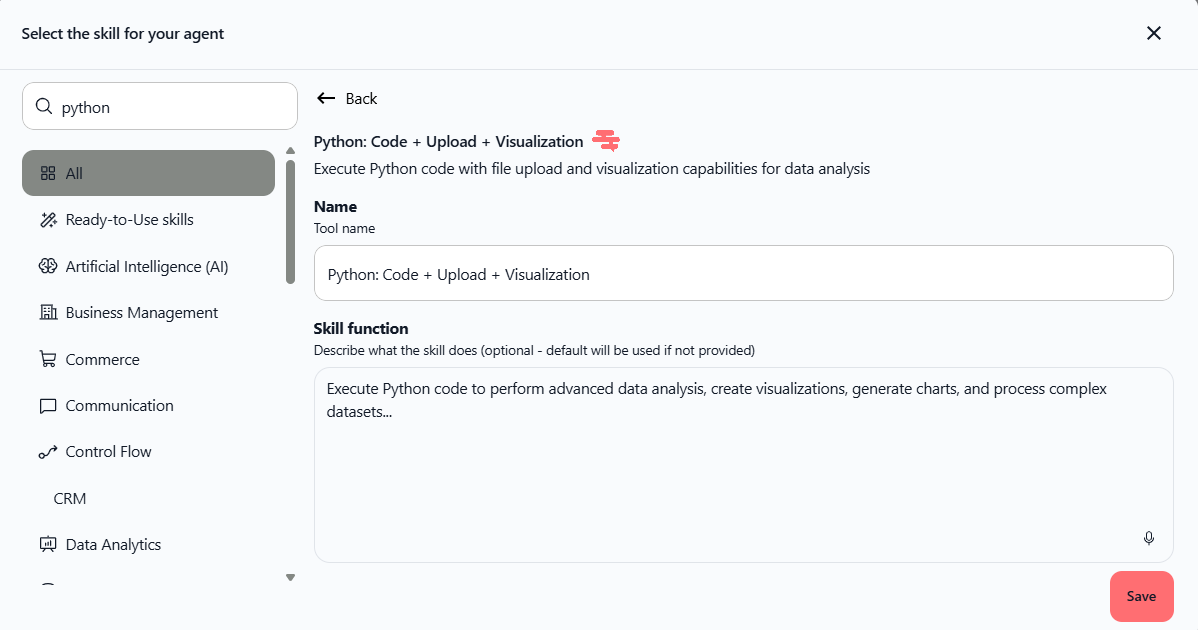
  2. Add the Python: Code + Upload + Visualization skill to any agent (Agents → [Agent Name] → Skills → search "Python")

  3. Upload a data file (CSV, Excel, JSON, etc.)

  4. Ask the agent to analyze it: "Analyze this data and create a visualization"

  5. Verify: faster execution, instant download links, and clearer error messages if anything fails

Example request:

"Analyze this sales data CSV file. Create a bar chart showing revenue by region and save it to /tmp/. Provide the download link."


Best practices for optimal performance

  • List required packages: Always specify which Python packages you need at the start

  • Use print() statements: Display intermediate results for debugging

  • Limit file output: Produce 2-3 files maximum per task (prefer one comprehensive output)

  • Save to /tmp/: All generated files should go to the /tmp/ directory for accessibility

  • Request file links: Ask for direct URLs to all generated files in your final response


Availability: All plans (Pro, Team Starter, Team Growth, Custom)

Location: Agents → [Agent Name] → Skills → Python: Code + Upload + Visualization


This update includes:

  • Optimized code execution in E2B sandbox (Firecracker microVMs)

  • Persistent kernel for faster consecutive runs

  • Reduced LLM calls via smart package management

  • Enhanced error handling and tracking

  • Intelligent error correction (modifies only error lines, not full regeneration)

  • Fixed file path issues between local and sandbox environments

  • Improved usage monitoring including idle time tracking

  • Refactored codebase with shared helper functions

  • Added comprehensive unit tests


Ready to use? Open Chat, upload your data file, and ask the AI to analyze it. The tool will automatically execute Python code and provide visualizations and results faster than before.