Chat with your knowledge, right where you need it — June 2026 Update
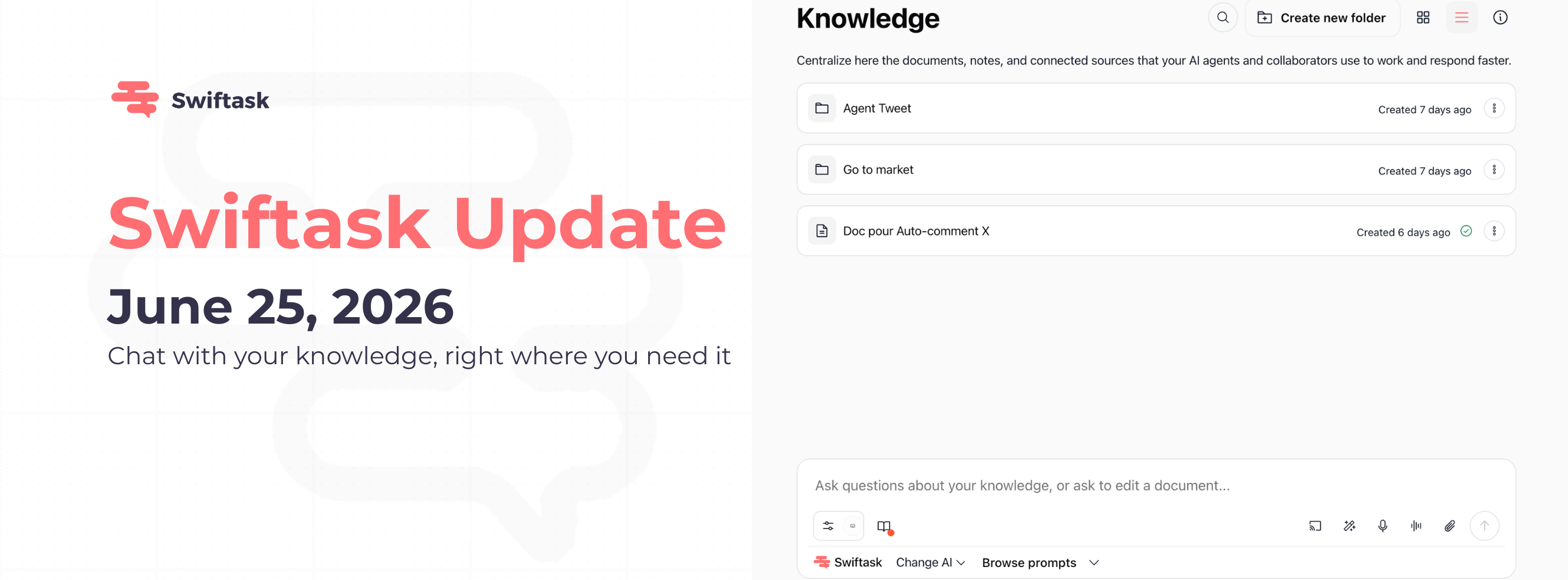
We're excited to introduce Chat directly in your Knowledge base. No more switching between screens, no more context loss. Ask questions about your documents, request edits, and work with AI all in one place.
Chat in Knowledge: Ask and edit your documents instantly
You can now chat with AI directly within your Knowledge interface. Whether you're exploring documents or building your knowledge base, the chat input is always visible at the bottom of the screen, ready for your questions and requests.
Ask questions about any document in your Knowledge base
Request edits or modifications to your documents
Select specific documents to focus your questions
Switch between AI models with the "Change AI" dropdown
Works seamlessly across all your documents without limitations
Available on all plans: Pro, Team Starter, Team Growth, and Custom
How to test it: Open Knowledge → Select or browse your documents → Use the chat input field at the bottom ("Ask questions about your knowledge, or ask to edit a document...") → Type your question or edit request → Choose your preferred AI Agent from the "Change AI" dropdown → Press Enter to get instant responses about your documents.
Where to find it: Knowledge → Bottom of the interface (always visible when viewing documents)
That's it! Your team can now work with documents and AI in one unified space, eliminating the friction of switching between Knowledge and Chat.