Even more new features on Swiftask! Smarter agents, simpler management
Hello,
Several new updates to wrap up November on a high note. We'll start with what's changing in your agents and Knowledge bases. Then we'll move on to sharing, followed by admin tools.
Agents and Knowledge
🎨 More accurate images
GPT Image is upgrading to GPT Image 2.5 (Sunburst) and Nano Banana to version 2.1. Agents that generate images will benefit from both.
GPT Image 2.5 refines edits and rendering, though it takes a little longer. Nano Banana 2.1 stays fast, with more legible text inside images and consistent characters.
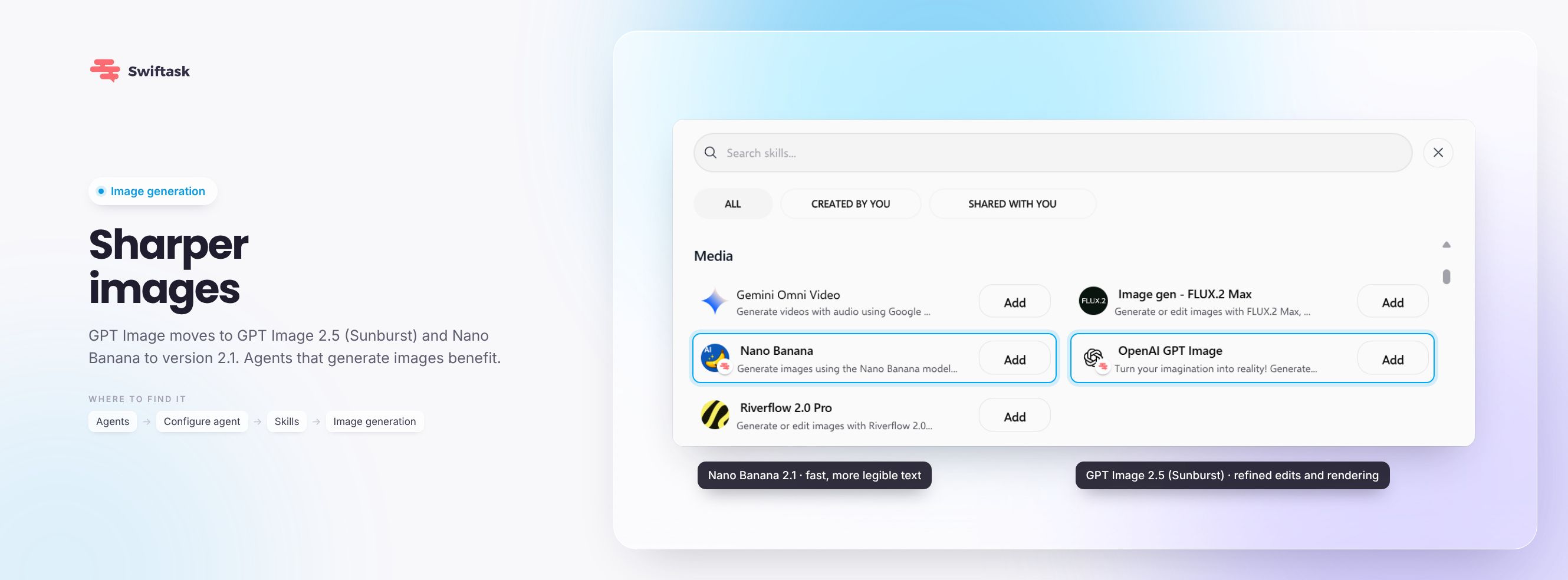
Where to find it: Agents → Configure agent → Skills → Image generation.
🧠 Deprecated models are now flagged
On an agent card, the label "(deprecated)" appears next to any replaced model.
You can spot agents that need updating without opening their settings, and switch models at the right time.
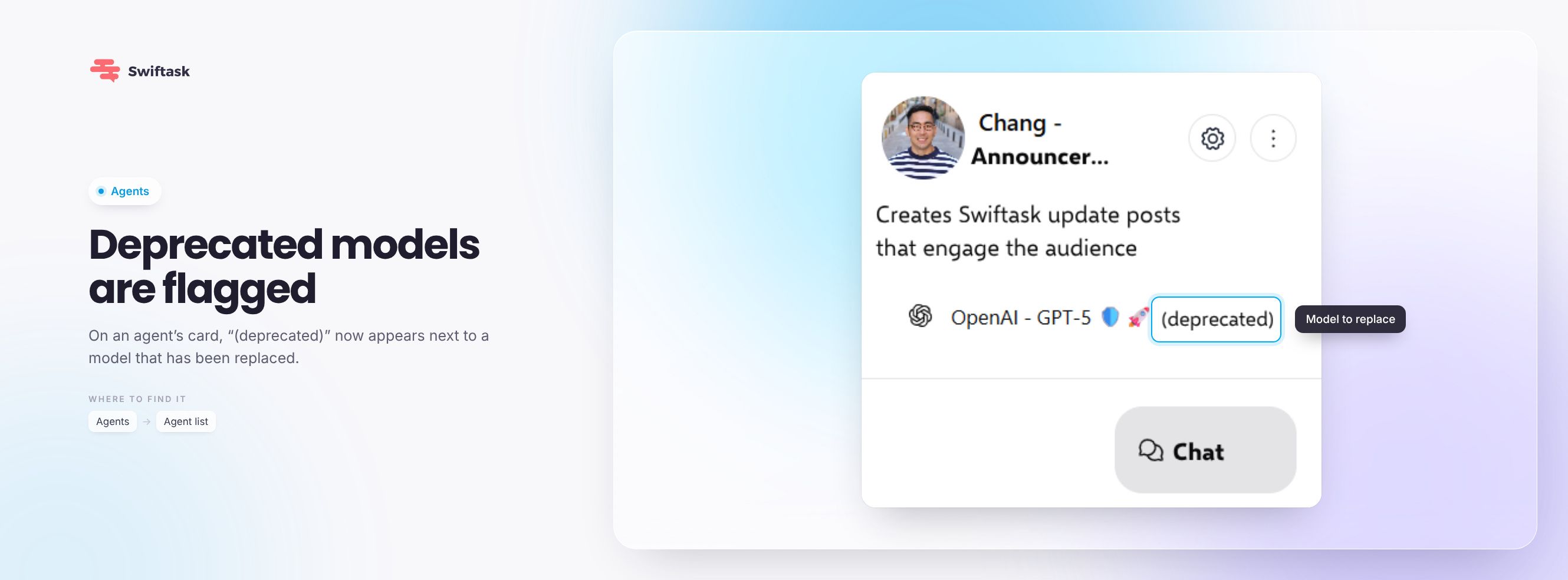
Where to find it: The Agents list. To change the model: Agent settings → Agent instructions → LLM.
Tip: After changing a model, test your agent—its responses may shift slightly.
📚 A clearer import experience in your Knowledge bases
The import screen has been redesigned. It's easier to read while keeping the same logic as before.
Why is this useful?
Upload your files (PDF, Word, Excel, PowerPoint, CSV, TXT, Markdown, JSON, up to 100 MB) and text is extracted automatically, including from scanned PDFs. Each file becomes its own source. The Import menu also brings together Google Drive, SharePoint, Dropbox, and websites.
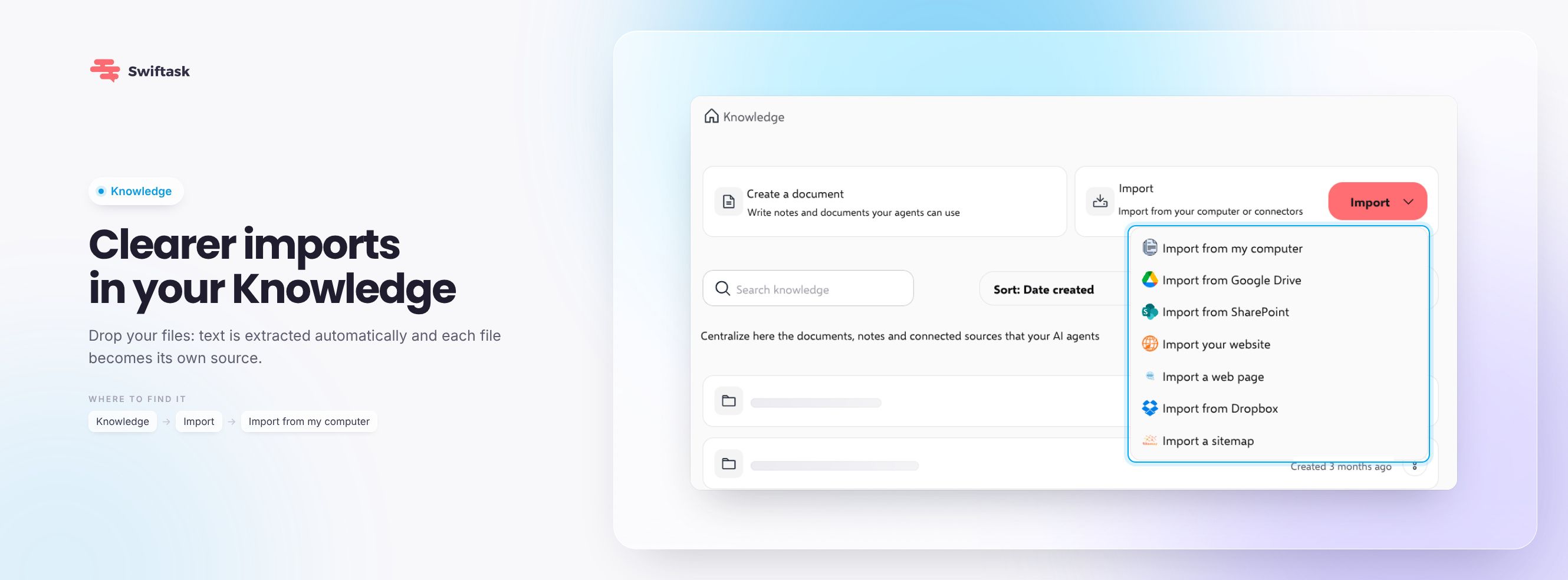
Where to find it: Knowledge → Import → Import from my computer.
Sharing and Administration
🤝 An improved sharing screen
People and groups are now combined into a single list along with their roles.
You can see who has access at a glance, add someone, filter the list, or change a role directly. It's the same screen across agents, knowledge bases, artifacts, conversations, and meetings.
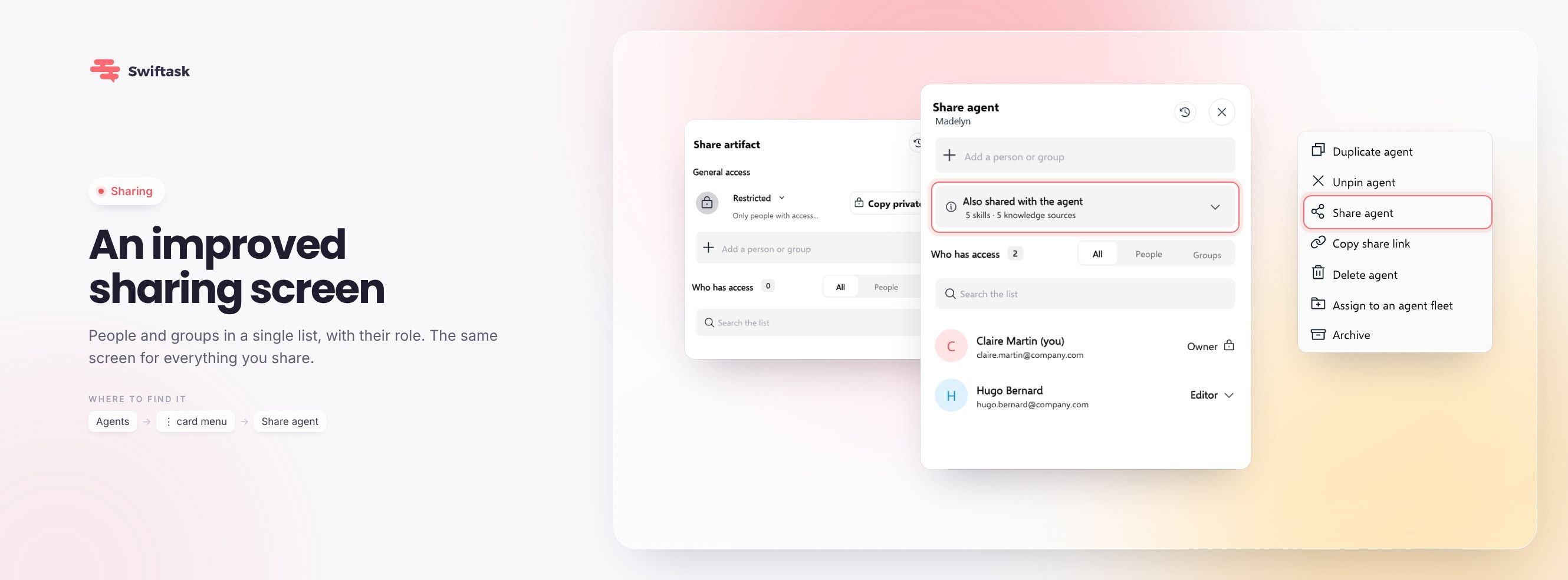
Where to find it: The Share button. For an agent: Agents → card's ⋮ menu → Share agent.
💳 Bulk credit limit updates
Update the credit limit for an entire role or group in a single action.
No more adjusting settings member by member. Your teams regain access to AI faster when a limit is reached.
Where to find it: Workspace administration, on the role or group page.
🔔 Customizable credit alerts
Credit alerts are no longer fixed at 80%—you can set your own threshold.
Each member is notified when they hit their limit threshold (80% by default). You're notified when the workspace is running low on credits (95% by default), and you choose who receives this alert. Alerts are sent via email.
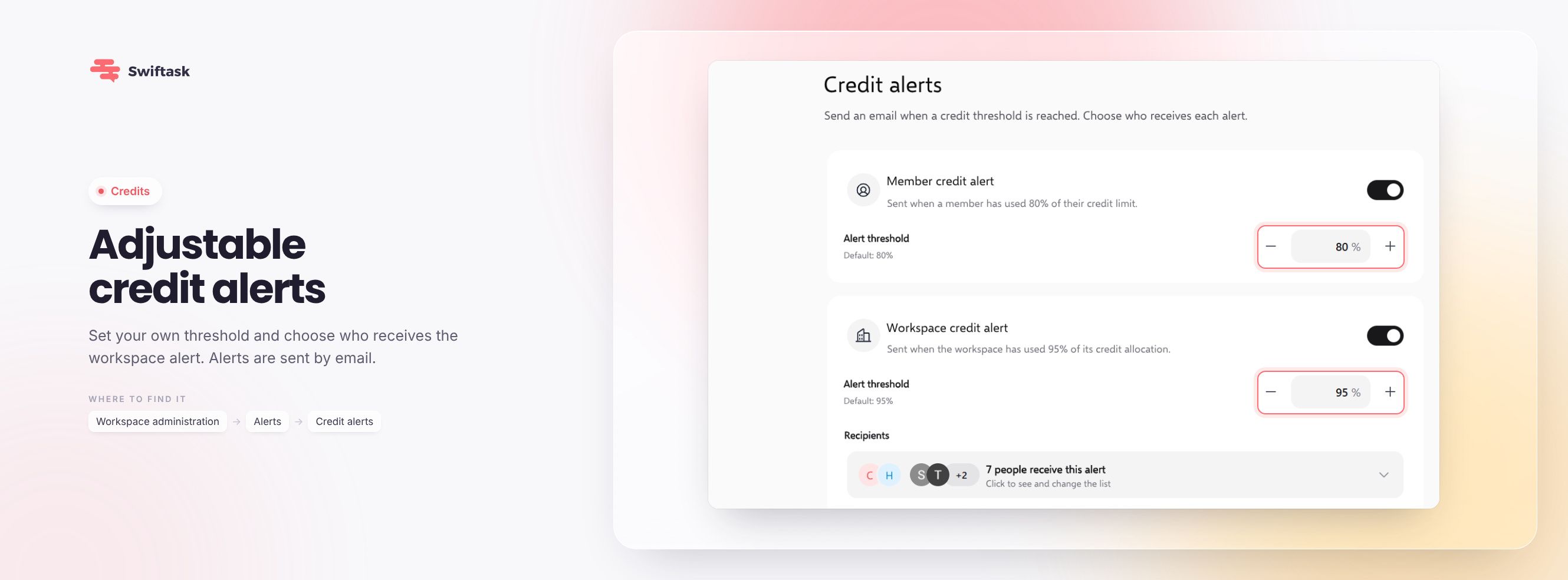
Where to find it: Workspace administration → Alerts → Credit alerts.
🖥️ Swiftask Code: customizable starting agent
Admins can choose which agent starts every new conversation in Swiftask Code.
Every conversation starts with the agent designated by your company. If a member doesn't have access to that agent, they'll use another accessible agent or Swiftask's default agent.
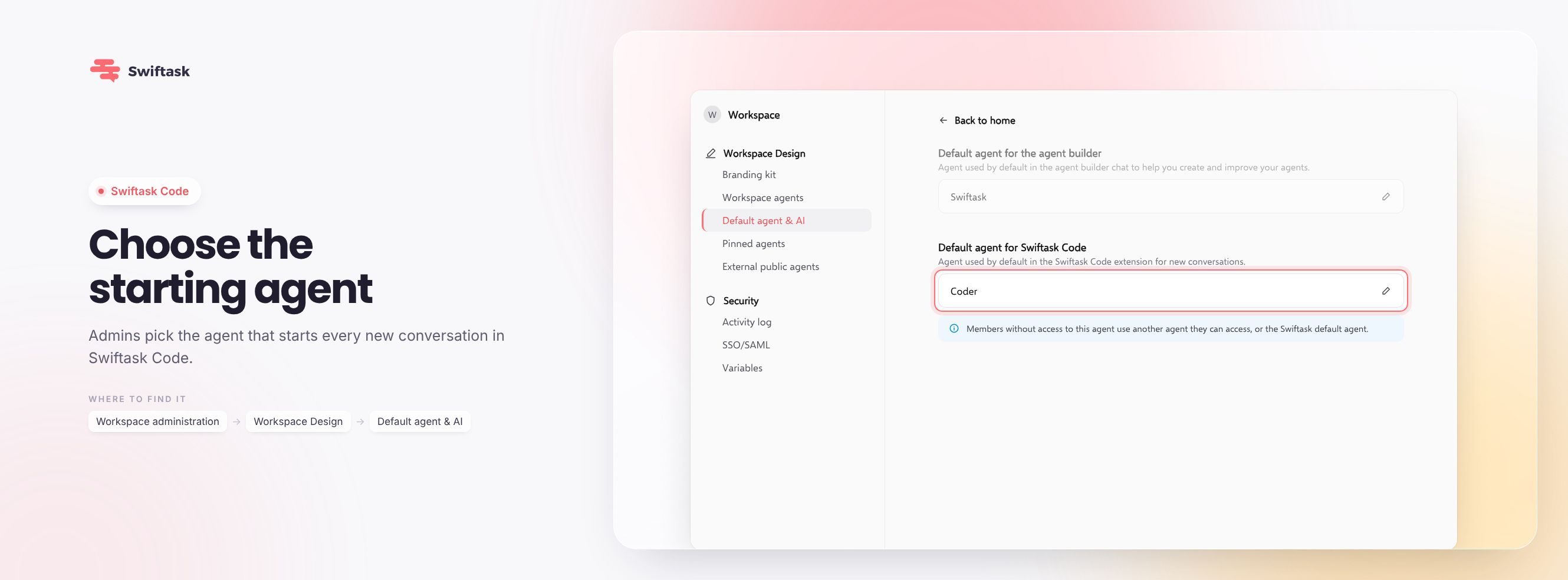
Where to find it: Workspace administration → Workspace design → Default agent and AI → Default agent for Swiftask Code.
That's all for now. Head into your workspace to try them out right away—and more updates are coming very soon 😉