More interconnections, accuracy, and control over your agents
Hello!
We're continuing to improve Swiftask every day, and here’s a look at the great new features we’ve prepared for you this week.
1. Synchronization between the Knowledge and Projects modules
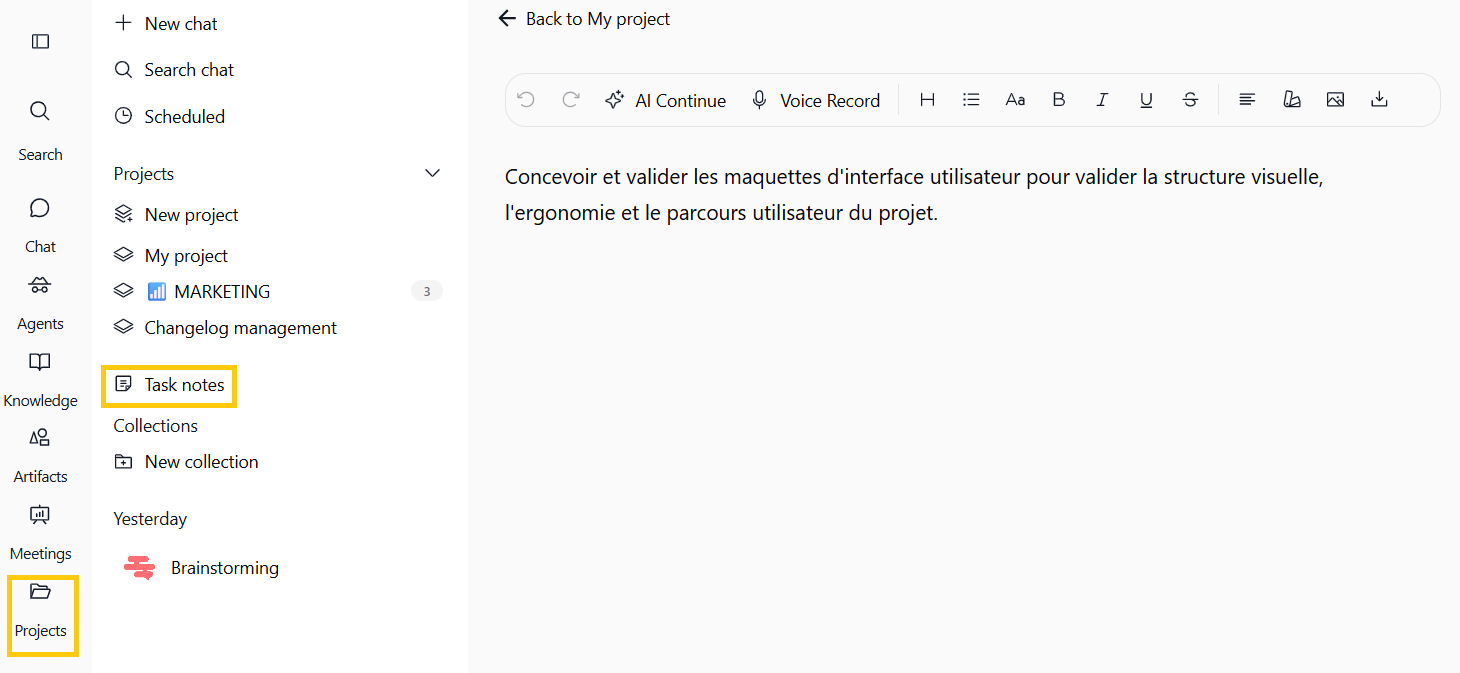
When you managed your task notes inside your projects, they used to remain isolated as simple working notes.
The good news is that your projects now interconnect in real time with the Knowledge module.
➡️ Your task notes become real sources of knowledge, ready to be used directly to power your Chat conversations or train your AI agents.
➡️ Any creation or modification made in your projects is automatically synced with the Knowledge module, ensuring your entire team always has up-to-date information.
Imagine creating a new project for a product launch and adding key task notes to it. Automatically, these notes appear in the Knowledge module. The entire team—including new members added to the project—can directly query the AI using this information or use it to build a dedicated agent, all while maintaining secure access permissions (new members can view the data without being able to modify it).
How to try it?
Go to the Projects section, create or edit a project with task notes, and open the Knowledge module to see your data instantly synced and ready to use!
2. Governance settings for primary and fallback LLM models
When configuring your AI agents, you could define a primary language model (LLM) as well as a fallback model, but managing the latter sometimes lacked flexibility.
Now, you have complete control over your fallback models thanks to new governance options.
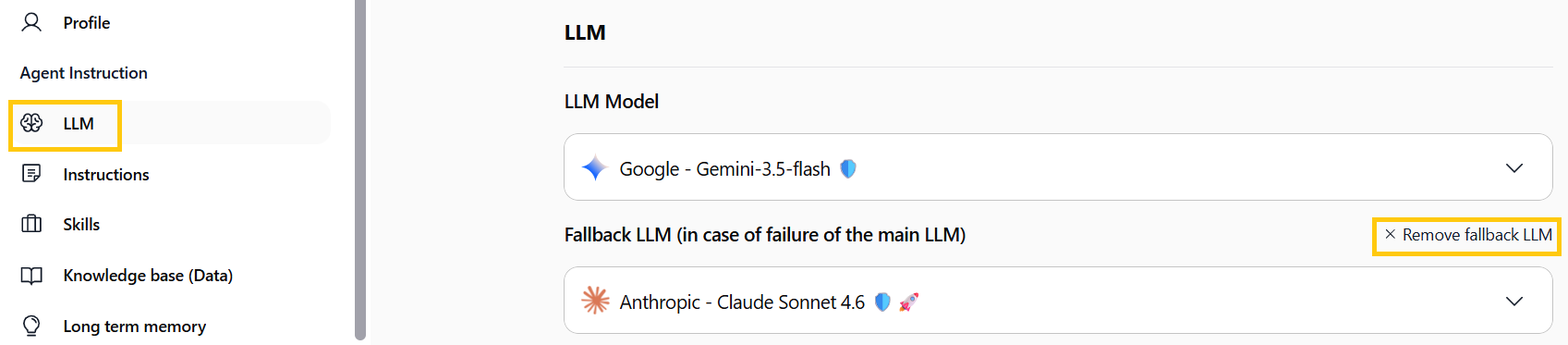
➡️ Take full control: You can now choose to enable or remove a fallback LLM based on your specific performance or budget requirements, using the new "Remove fallback LLM" button.
How to try it?
Go to your agent settings (via the Agents tab), navigate to the model parameters (LLM), and use the new "Remove fallback LLM" button.
3. Direct connection to the entire Microsoft 365 suite
Access to your Microsoft tools was previously a bit limited. That is now a thing of the past: you can directly connect your Microsoft 365 account to Swiftask!
➡️ Your whole workspace in one place: Your agents securely access the apps you use every single day (Outlook, Calendar, Teams, SharePoint, OneDrive...).
➡️ One-click document creation: Your assistants no longer just read your data. They can directly create real Word files (.docx), Excel spreadsheets (.xlsx), or PowerPoint presentations (.pptx).
➡️ In practice: Preparing a project review? Your agent gathers the information, generates the PowerPoint presentation, and instantly sends it via email to your team using your Outlook account.
Where to find this feature?
Go to Agents ➔ Edit ➔ Skills, then search for Microsoft.

4. Improved automatic text recognition (OCR) for large-format documents (A3)
Do you often work with blueprints, technical diagrams, or large financial spreadsheets? Great news: we've significantly boosted our text recognition technology (OCR) for these complex formats.
➡️ Much more accurate reading: A3 files and highly detailed visual documents are now processed effortlessly.
➡️ Better Chat responses: No more misinterpretations or glitches when you drop a large document into your conversations.
➡️ Comprehensive Knowledge integration: Once added to your bases, these large files are seamlessly processed and understood by your AI agents.
Want to try it out?
Simply drop an A3 file or a complex document into the Chat or Knowledge section, then ask the AI your question—it will find the exact information for you in no time!
5. Outlook trigger fix and agent trigger history interface improvement
Your automations sometimes ran into glitches when receiving emails, and tracking the details of automated executions wasn't always straightforward. All of that is now resolved!
➡️ 100% reliable email automation: The issue with the Outlook trigger has been fixed. Your automated workflows triggered by incoming emails are back to running seamlessly without interruption.
➡️ Clearer daily tracking: The history interface has been redesigned to give you complete visibility into your assistants' activity. Spot at a glance when an agent was triggered, what it executed, and whether it encountered an error.
➡️ In practice: If you set up an agent to automatically process incoming email requests, you can now monitor every step of its work in real time directly from your dashboard, with full transparency.
Where to find this feature?
Go to the Agents section, select your assistant, and click on the History tab to check out the new interface.
6. Direct task execution on your computer with Computer Access
Until now, the AI remained limited to the Chat: it could explain steps or generate code, but it couldn't act directly on your machine (local files, installed apps, browser, or terminal).
Now, the Swiftask desktop app allows your assistant to perform real actions on your computer!
➡️ No more manual steps: No need to copy-paste scripts between the Chat and your computer, or manually carry out what the agent planned (opening a file, launching an app, or filling out a form).
➡️ No more constant recontextualization: Forget about copying and pasting file contents or terminal outputs into the chat.
➡️ Less friction, more delegation: Save time by delegating actual tasks (instead of just getting text responses), while keeping total control through a dedicated per-chat toggle and strict permission settings.
➡️ Imagine needing to analyze a local Excel file (ventes.xlsx) in your Downloads folder to generate a Word report on your Desktop (rapport-ventes.docx). Without this feature, you'd have to open the file, paste excerpts into the Chat, run commands yourself, and copy the result. With Computer Access, the agent acts directly on your machine in just a few seconds!
7. Group synchronization and automatic SCIM 2.0 user provisioning
Managing team member access and organizing your workspace groups takes a major step forward.
Thanks to the integration of the SCIM 2.0 standard, your entire user directory now automates end-to-end with your identity provider (IdP).
➡️ Real-time automatic provisioning (SCIM 2.0): Connect Swiftask directly to your usual identity provider (Entra ID, Okta, Google Workspace, or generic SAML). Account creations, updates, and deactivations sync instantly without lifting a finger.
➡️ Automated offboarding: As soon as a team member leaves your organization or is removed from your IdP, their access is immediately revoked and their active sessions are closed. Keep your workspace secure while instantly freeing up licenses.
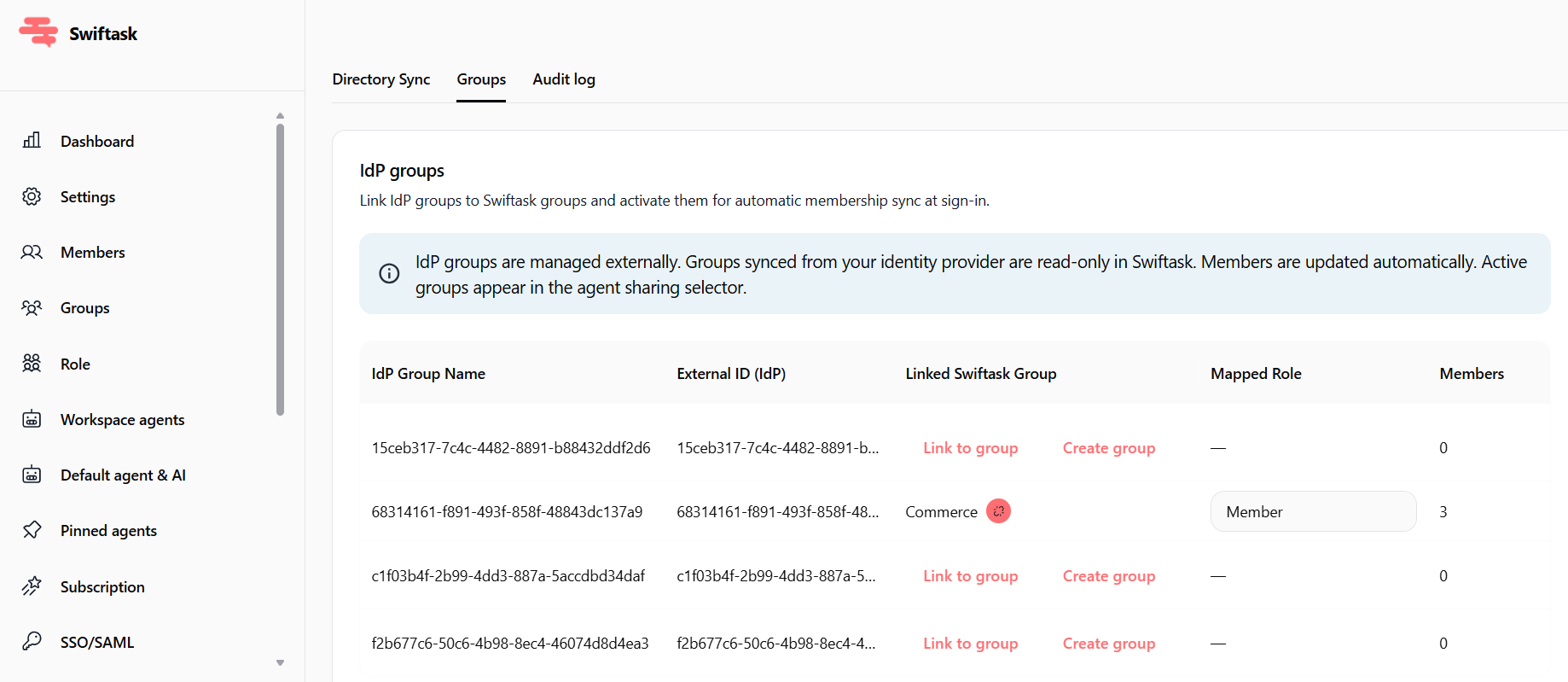
➡️ Seamless group and role mapping: No more obscure technical IDs like the old "Azure Group ID"! Your groups now display under their actual names, and you can map an external group directly to a Swiftask role (Admin, Manager, Creator, Member) to adjust permissions automatically.
➡️ Simplified team onboarding: Upon their very first SSO login, new hires automatically join the workspace, inherit the right groups, permissions, and credit limits. They get instant access to the agents shared with their team.
➡️ Multi-domain support & forced SSO: Register multiple email domains for your organization and enforce SSO login to ensure maximum security.
Where to find this feature?
Go to Admin ➔ Workspace ➔ Provisioning section to follow the step-by-step guide, map your groups, and view the audit log.