Find the perfect AI model in seconds, seamlessly — June 2026 Update
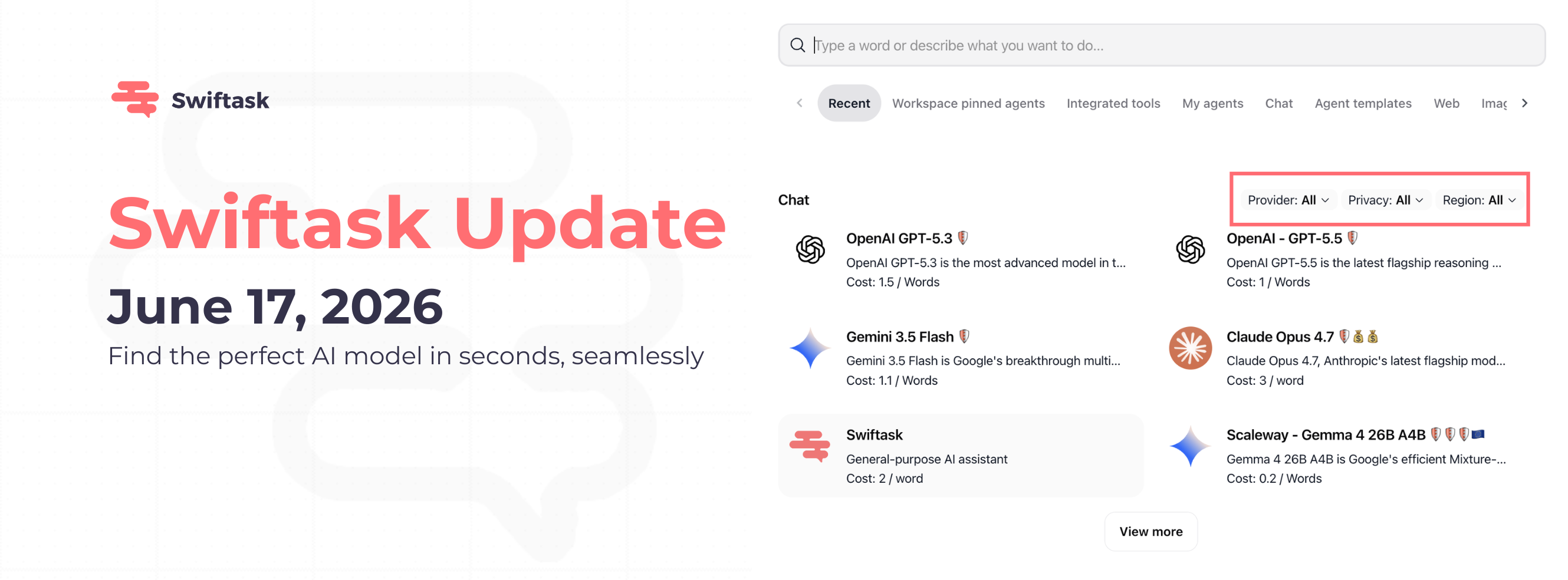
We've redesigned the Chat AI browsing and filtering interface to make discovering and selecting the right model faster and more intuitive. Whether you're looking for speed, advanced reasoning, or data sovereignty, the new interface gets you there with clarity and confidence.
Clearer filtering interface
Filter AI models by what matters most: provider, privacy, and region. Three dedicated dropdowns at the top of the Chat section let you narrow down your choices instantly, without guessing or scrolling endlessly.
Provider filter: Find models by vendor (OpenAI, Google, Anthropic, Scaleway, and more)
Privacy filter: Select models based on data handling and compliance needs
Region filter: Choose models hosted in your preferred data center or region
All filters work together, so you can combine them for precise results
Find it in: Chat → Browse AI models
Improved visual hierarchy and readability
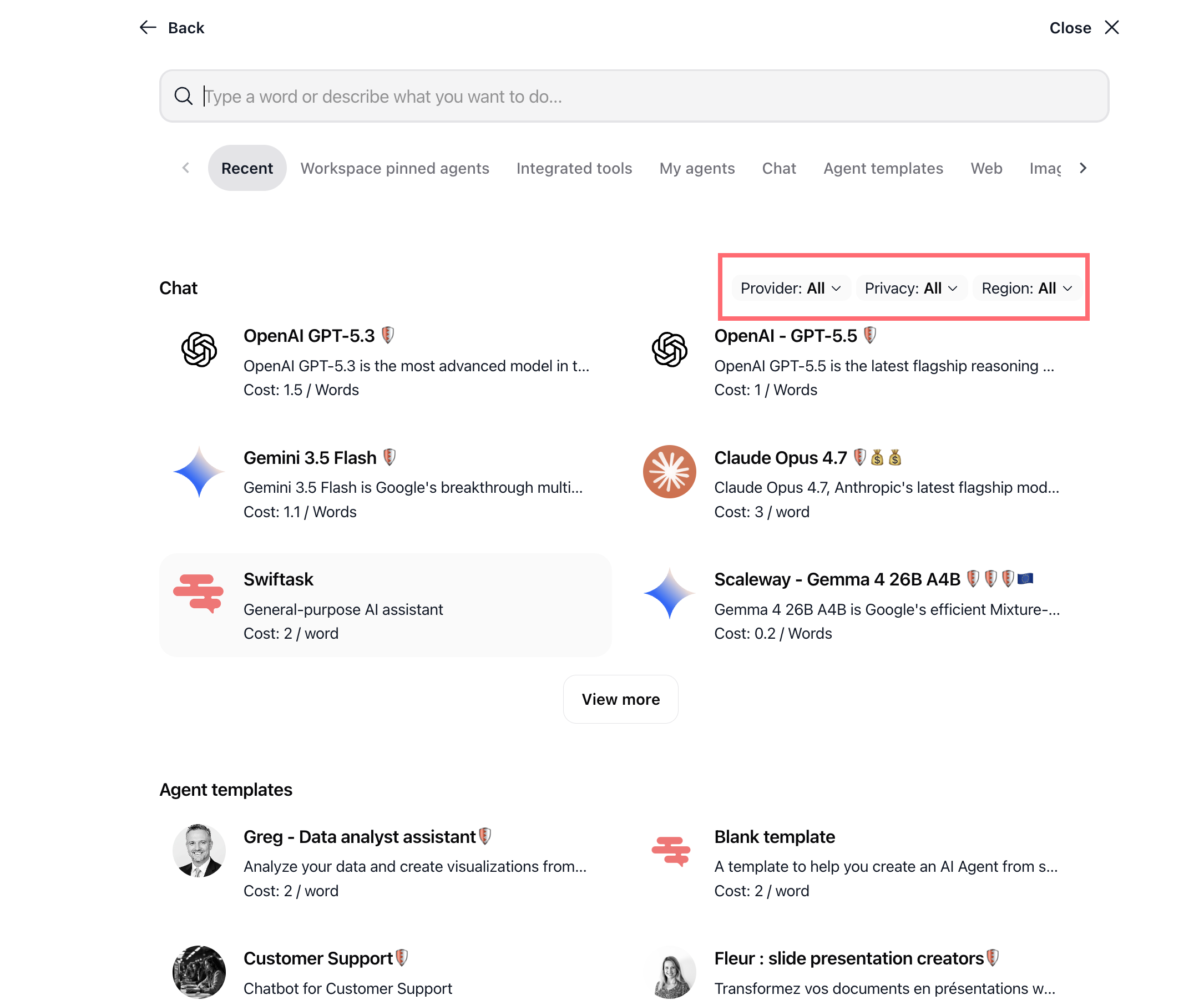
Each AI model now appears as a clean, scannable card in a 2-column grid. You see exactly what matters at a glance:
Model icon and name: Instantly recognizable by provider
Brief description: What the model excels at (truncated for space, full text on hover)
Cost information: Transparent pricing per token or word
Provider and region badges: Security shields and flag icons show data handling and location at a glance
Clear visual separation: Sections for Chat models, Agent templates, and Workspace pinned agents are visually distinct
Faster access to key information
No more digging. Costs, descriptions, and provider details appear directly on each model card, so you can compare options without clicking into details.
Model pricing is always visible
Provider identity is clear via icons and labels
Privacy and region information appears as badges
Descriptions are concise and helpful
Optimized navigation between sections
The horizontal tab system makes it effortless to move between Chat models, Agent templates, Integrated tools, and other sections. Each tab is clearly labeled, and the active tab is visually highlighted.
Tabs: Recent, Workspace pinned agents, Integrated tools, My agents, Chat, Agent templates, Web, Image, Audio
"View more" button expands lists without leaving the interface
Back and Close buttons provide clear exit paths
Enhanced visual feedback
Icons, colors, and badges now guide you through the interface:
Security badges: Shield icons indicate privacy and compliance features
Region indicators: Flag icons show where data is hosted
Color coding: Visual distinction between model types and sections
Interactive states: Buttons and filters respond clearly to your actions
How to test it
Open Chat from the left sidebar
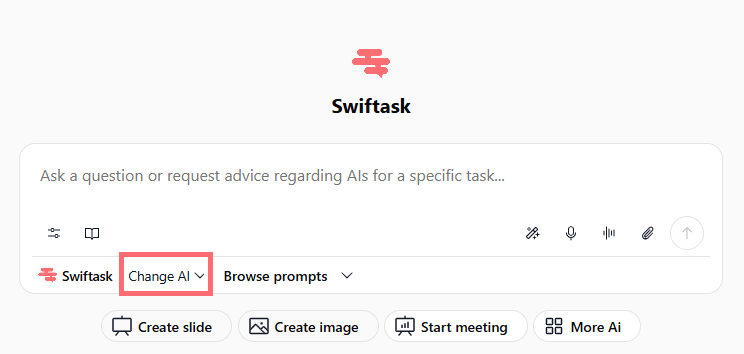
Look for the browsing panel showing available AI on the “Change AI” button
Try the filters: Click Provider: All and select a specific vendor (e.g., "OpenAI")
Click Privacy: All to see privacy options
Click Region: All to filter by data location
Explore the model cards and notice how cost, description, and provider information is organized
Switch between tabs (Chat, Agent templates, etc.) using the horizontal navigation
Click on a model card to select it and start chatting
Availability: All Swiftask plans, Pro, Team Starter, Team Growth, and Custom. No extra cost.
Ready to find your ideal AI model? Open Chat now and explore the new browsing interface. It's faster, clearer, and more beautiful.