Faster workspace member management with inline role editing and always-visible action buttons — June 2026
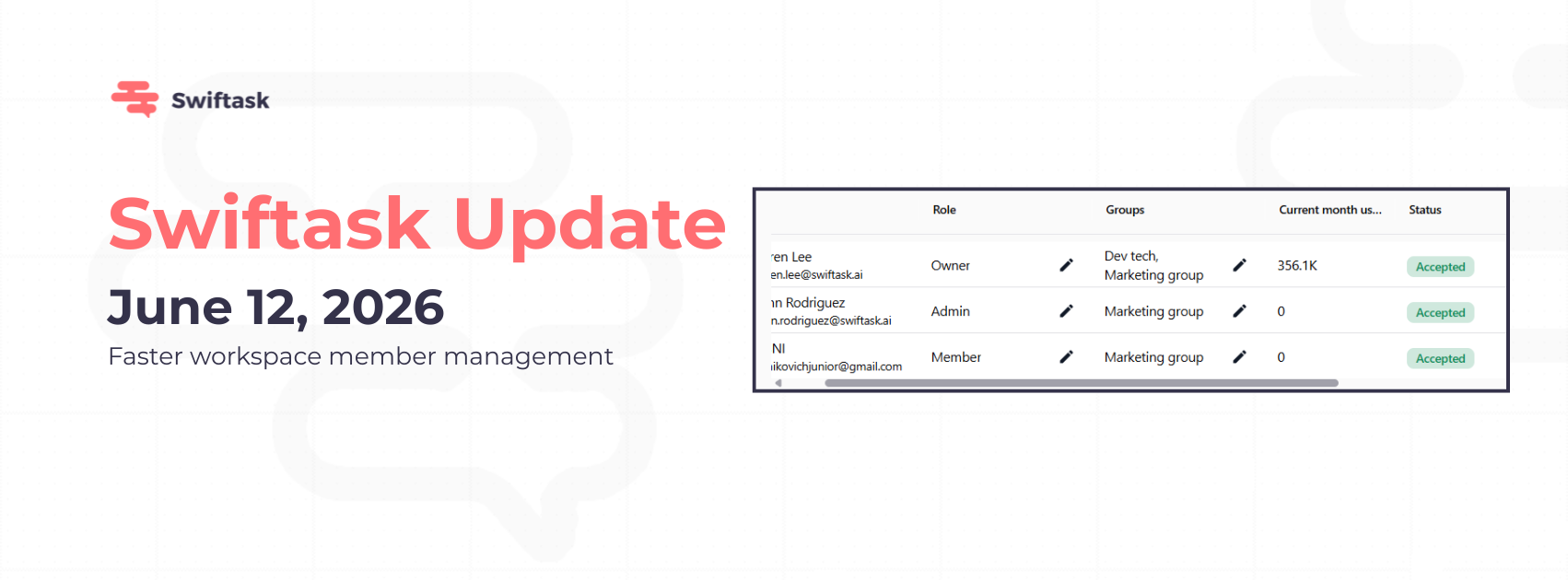
Managing your team just got simpler. You can now edit member roles and group assignments directly from the members list, no need to open a details view. Plus, action buttons are always visible for quick access to member operations.
Inline role and group editing
Change a member's role or update their group assignments right from the members table. Edits save automatically, so role changes take effect immediately across your workspace. This cuts the number of clicks you need to manage team permissions.
Edit roles directly in the members list
Update group memberships without opening details
Changes apply instantly, no manual save required
Supported on all Team plans (Team Starter, Team Growth, Custom)
Find it at: Settings → Workspace administration → Members
Always-visible action buttons
Action buttons (view details, remove member) are now permanently visible in the members table. No more hovering or expanding rows to find quick actions, everything you need is right there.
Remove members with a single click
View member details instantly
Faster workflow for common member management tasks
Available on all Team plans
How to test this
Navigate to Workspace administration → Members
Find any member in the list
Look for the role dropdown, click it to change roles inline
Check the group column to update group assignments
Use the action buttons to view or remove members
Why this matters
Workspace admins spend less time digging through nested menus. Managing team access is now as fast as it needs to be: edit, update, and move on.