Anonymize PDFs and search-replace with precision — Update April 2026
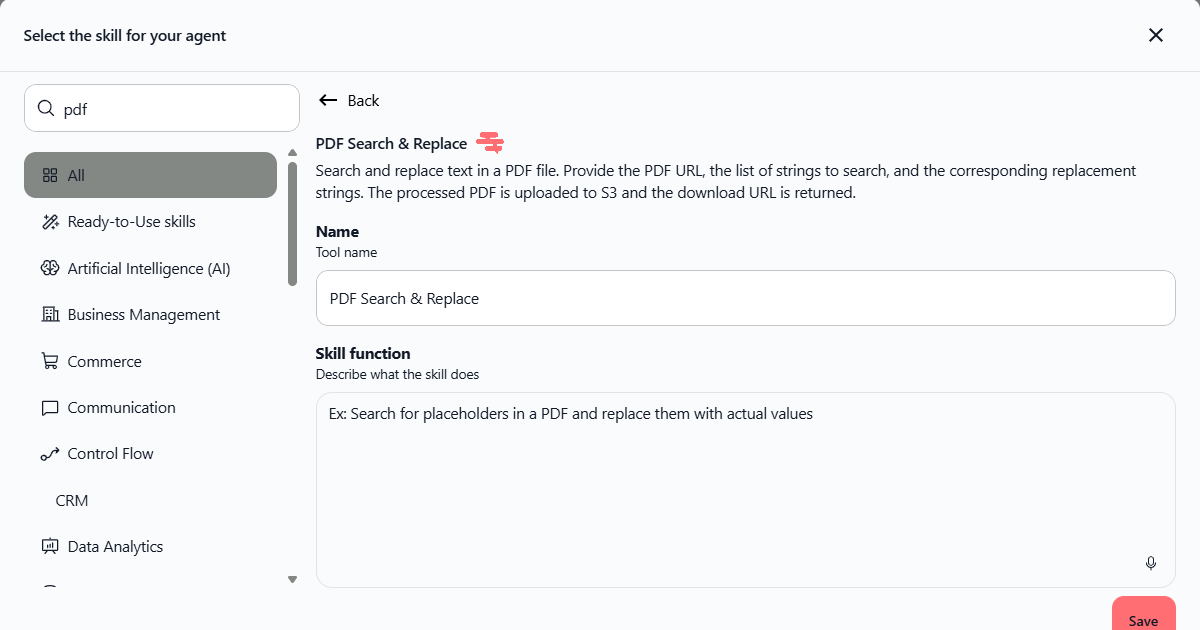
We're excited to announce two powerful new tools for working with PDFs: a dedicated PDF Search & Replace skill and a ready-to-use Brad - PDF anonymization agent template. Together, they make it easy to find and replace text while protecting sensitive data.
PDF Search & Replace skill
Find and replace text in PDF files while keeping your original formatting intact. Whether you're updating placeholders, correcting information, or preparing documents for distribution, this skill handles the work automatically.
Provide the PDF URL, specify the strings to search for and their replacements, and the processed PDF is uploaded to cloud storage with a download link returned instantly.
Available on all plans
No file size limits
Processed PDFs uploaded to S3 with instant download links
Preserves original PDF formatting during replacements
Where to find it: Skills → Search "pdf" → PDF Search & Replace
How to test it: Add the skill to any agent, then ask it to search and replace text in a sample PDF. For example: "Search for [PLACEHOLDER] in this PDF and replace it with [ACTUAL_VALUE], then give me the download link."
Brad - PDF anonymization agent template
Protect sensitive information automatically. Brad is a pre-configured agent template that detects and removes all personally identifiable information (PII) from PDF documents in seconds.
Upload a PDF containing names, contact details, financial information, or any other sensitive data. Brad analyzes the document, identifies all PII, removes it, and returns a clean, anonymized PDF ready to share or archive.
Detects all types of PII (names, emails, phone numbers, addresses, financial data, and more)
Available on all plans
No file size limits
Returns anonymized PDF as a downloadable file
Ready-to-use template — no configuration needed
Where to find it: Agents → Create Agent → From Template → Brad - PDF Anonymization
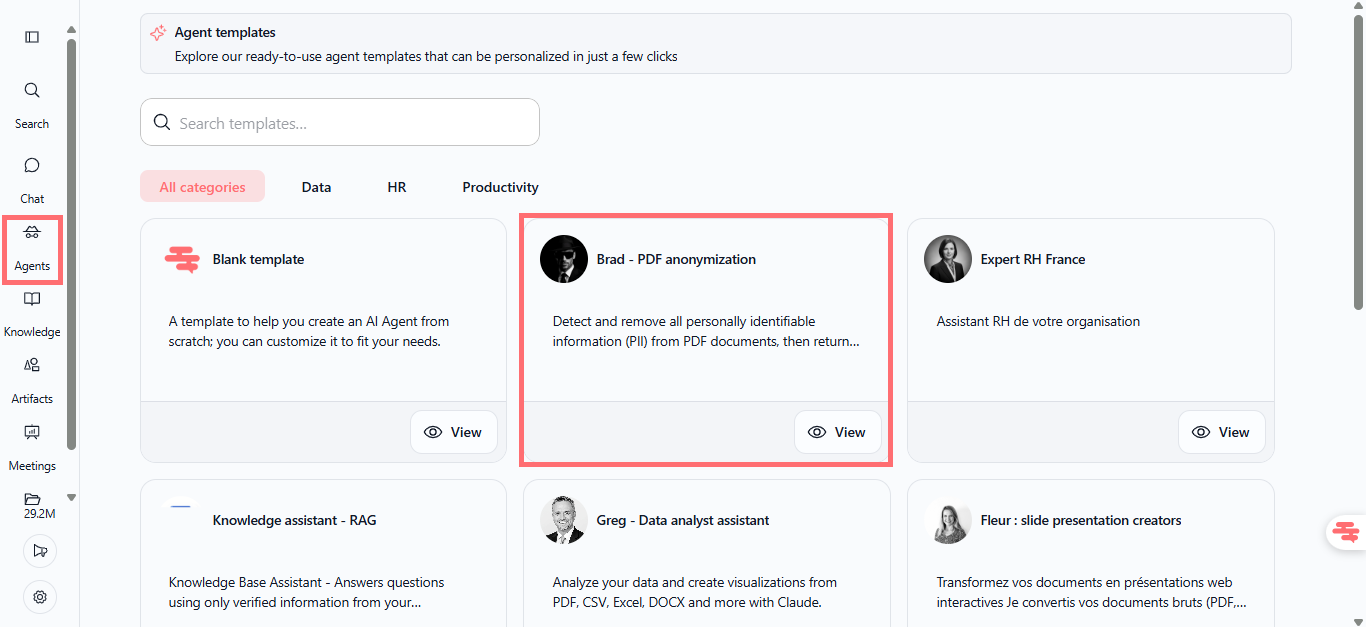
How to test it:
Go to Agents and click "Create Agent"
Select "From Template"
Search for and select "Brad - PDF Anonymization"
Choose "Clone and test" to use it immediately
Upload a PDF with sensitive information
Brad will process it and return the anonymized version as a download
Why this matters
These tools solve a real problem: managing sensitive documents at scale. Whether you're preparing contracts for external review, sharing reports while protecting privacy, or automating document workflows, you now have enterprise-grade PDF handling built into your agent fleet.
Available now on all Swiftask plans. No additional setup or configuration required.
Ready to try it? Create a new agent from the Brad template or add the PDF Search & Replace skill to your existing agents. Both are available immediately in your workspace.