Archive agents you don't use without losing them — July 1, 2026 Update
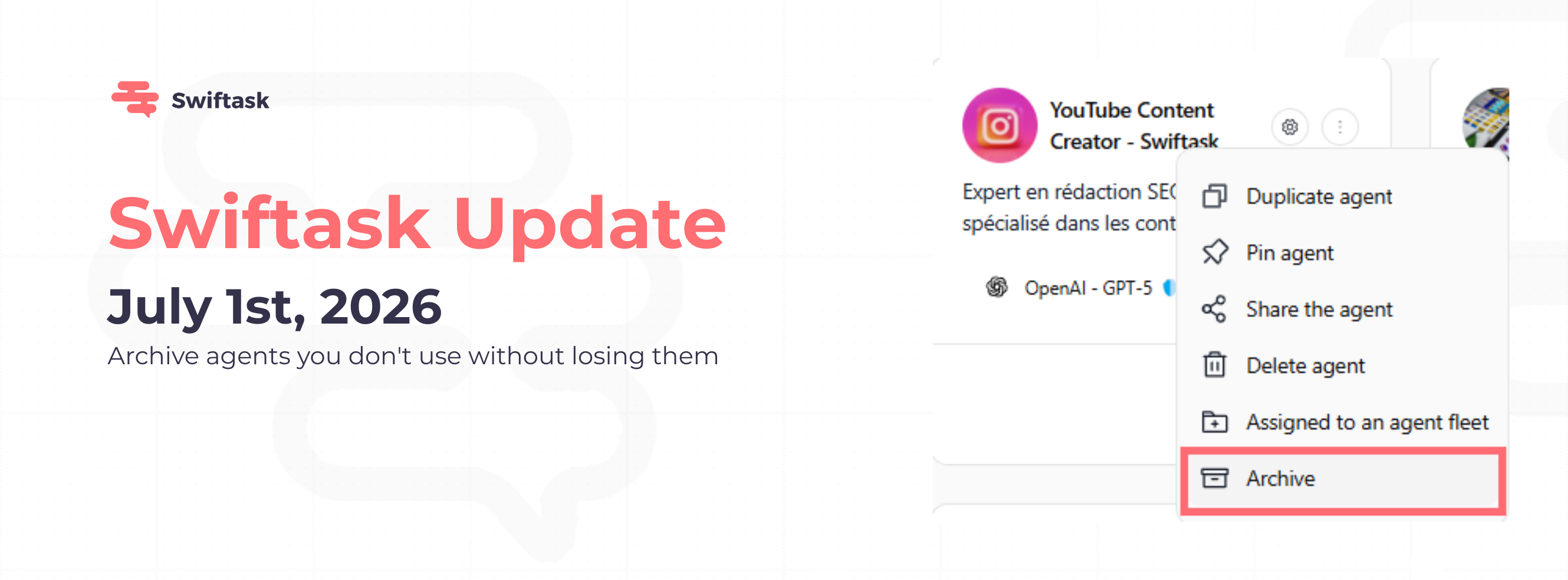
Your agent fleet is growing. Some agents run every day, others only once a quarter, and some you no longer use at all. You can now archive inactive agents to keep your workspace clean, and restore them in one click whenever you need them back.
Archive and restore in seconds
Archive any agent from the three-dot menu (⋮) on the agent card

Access all archived agents in the new "Archived" tab in the Agents sidebar
Restore an archived agent with one click; all its skills, knowledge sources, and settings come back untouched
Delete permanently from the archived view when you're sure you don't need it anymore
Find it: Agents → [Agent card] → ⋮ → Archive Restore it: Agents → Archived tab → ⋮ → Restore

What happens when you archive an agent
The agent disappears from all agent lists and search results, and moves to the Archived tab
Existing conversations remain fully accessible in your chat history, nothing is lost
Automation triggers stop running (scheduled tasks, email triggers, etc.) until the agent is restored
Shared access is paused: users you shared the agent with can no longer access it
When you restore the agent, sharing is automatically re-enabled for all previous users, no need to re-share manually
How to test it
Open Agents in the sidebar
Pick any agent you own
Click the three-dot menu (⋮) → Archive
Confirm the agent is gone from your main agent list
Scroll to the new Archived tab at the bottom of the sidebar
Click ⋮ on the archived agent → Restore
The agent is back in your main list, fully usable, with all sharing restored
Available on: All plans (Pro, Team Starter, Team Growth, Custom)
📖 Learn more about managing agents →
Join our webinar on building a fleet of cold-emailing agents to save time on your prospecting.