Five new language models, now available for all agents and chats — May 2026 Update
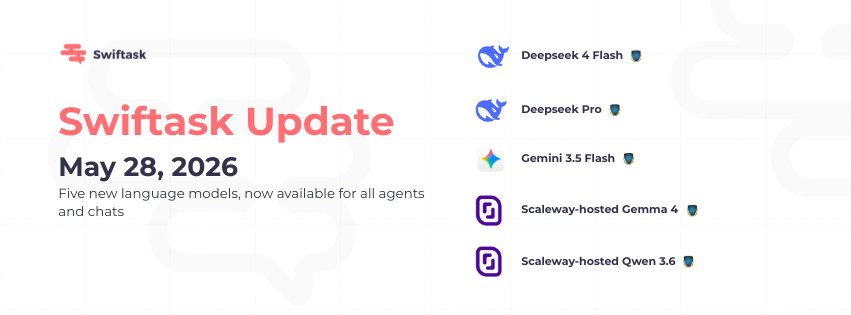
We're expanding Swiftask's multi-LLM capabilities with five new models, giving you more options to optimize for speed, reasoning depth, and cost. Switch between models instantly: no vendor lock-in, full control.
New models available
You can now use five new language models across all agents and chat interfaces:
Deepseek 4 Flash: Fast, efficient model for quick responses and real-time interactions
Deepseek Pro: Advanced reasoning and complex task handling
Gemini 3.5 Flash: High-speed responses optimized for productivity workflows
Scaleway-hosted Gemma 4: On-premise alternative for data sovereignty and compliance
Scaleway-hosted Qwen 3.6: Flexible, open-source model with European hosting
Available on all plans: Pro, Team Starter, Team Growth, and Custom. No extra cost.
Find them here:
Chat interface → Model Selector dropdown
Agents → Agent Configuration → Model Selection
Workspace Settings → Advanced → Default Model (to set workspace-wide defaults)
Seamless model switching
Switch between any model at any time—mid-conversation, between tasks, or at the agent level. Each model excels at different tasks:
Use Deepseek 4 Flash or Gemini 3.5 Flash for quick answers and real-time interactions
Use Deepseek Pro for deep analysis, reasoning, and complex problem-solving
Use Scaleway-hosted models (Gemma 4, Qwen 3.6) when you need data to stay within Europe or prefer open-source alternatives
No downtime, no reconfiguration needed.
Authentication for Scaleway-hosted models
To use Scaleway-hosted Gemma 4 and Qwen 3.6, you'll need to configure your Scaleway API credentials:
Location: Workspace Settings → Integrations → Scaleway
Setup: Provide your Scaleway API key and endpoint
Note: Not specified; exact authentication flow and whether this is per-model or per-provider configuration. Contact support for setup assistance.
Full compatibility with existing workflows
All five new models work seamlessly with:
Task automation (trigger agents, execute workflows)
Chat interfaces (direct conversations, pinned agents)
API integrations (connect to your tools and data)
Skills and knowledge bases (all existing agent capabilities)
No breaking changes. Your existing agents and workflows continue to work as before.
How to test the new models
In Chat:
Open the Chat interface
Click the Model Selector dropdown (top-right or near the input field)
Select one of the new models (Deepseek 4 Flash, Deepseek Pro, Gemini 3.5 Flash, Scaleway Gemma 4, Scaleway Qwen 3.6)
Send a test message and observe response quality and speed
In Agents:
Open an agent or create a new one
Navigate to Agent Configuration → Model Selection
Choose a new model from the dropdown
Test the agent with sample inputs that match your use case (e.g., fast queries for Flash models, complex reasoning for Pro models)
For Scaleway-hosted models:
First, configure your Scaleway credentials in Workspace Settings → Integrations → Scaleway
Then select Scaleway Gemma 4 or Qwen 3.6 in the model picker
Test with data-sensitive workflows to confirm data residency in Europe
Performance testing:
Compare response times and quality across models for your typical use cases
Monitor token usage if relevant to your plan
Switch models mid-task to find the best fit for each workflow
What's coming next
We're committed to expanding Swiftask's model library. More models and providers will be added regularly as new options become available.
Any questions? Contact support or visit the Swiftask help center for detailed setup guides for Scaleway-hosted models.