Gemini's next generation is here: Faster reasoning, sharper insights — Updated on March 2026
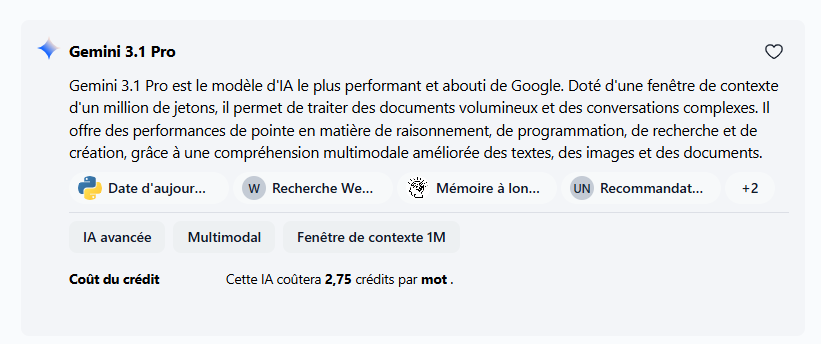
Google's latest Gemini models are now available across all Swiftask plans. Whether you need lightning-fast responses or deeper reasoning, you can now choose the right Gemini model for every task — no plan upgrades needed.
Gemini Pro 3.1 — Peak performance for complex thinking
You can now access Gemini Pro 3.1 for tasks that demand sophisticated reasoning and nuanced analysis. This model excels at breaking down complex problems, generating detailed strategies, and handling multi-step workflows with precision.
Better reasoning capabilities for complex, multi-step tasks
Faster inference than previous versions
Available on all plans — Pro, Team Starter, Team Growth, and Custom
Configure as default in Workspace administration → Settings → Advanced
How to test it:
Navigate to Chat
Click the AI model selector at the top
Search for "Gemini Pro 3.1" and select it
Try a complex reasoning task: "Break down a go-to-market strategy for a new SaaS product, including positioning, target segments, and 90-day milestones"
Compare response depth and clarity with previous Gemini versions
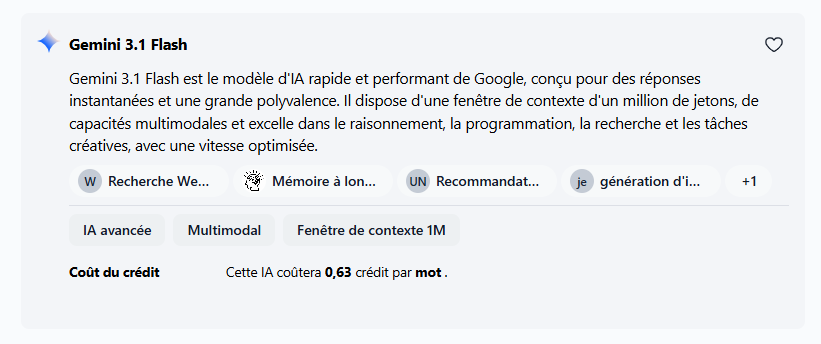
Gemini 3.1 Pro — Speed meets intelligence
Gemini 3.1 Pro brings you faster inference without sacrificing reasoning quality. Perfect for high-volume tasks, real-time interactions, and workflows where speed matters as much as accuracy.
Faster inference for quicker responses
Strong reasoning for quality outputs
Available on all plans — Pro, Team Starter, Team Growth, and Custom
Ideal for chat interactions, meeting transcription, and artifact generation under time constraints
How to test it:
Open Chat
Select the AI model dropdown
Choose "Gemini 3.1 Pro"
Try a time-sensitive task: "Generate a meeting summary with 5 action items from this transcript [paste content]"
Compare speed and output quality
How to switch between models
Both models are available everywhere you use AI in Swiftask:
In Chat: Click the model selector at the top of the input field
As workspace defaults: Workspace administration → Settings → Advanced → Default Chat AI (or Meeting AI, Transcription AI, Artifact AI)
For agents: Agent configuration → Model selection
All models are included in your current plan. No upgrades needed.
Improvements
Real-time model recommendations now surface Gemini Pro 3.1 and Gemini 3.1 Pro as options based on your task description, helping you pick the right tool instantly without guessing.
Ready to experience faster, smarter AI? Open Chat now and switch to Gemini Pro 3.1 or Gemini 3.1 Pro to see the difference.