New design and better organized menus for your settings — September 17, 2026 update
Hi 👋
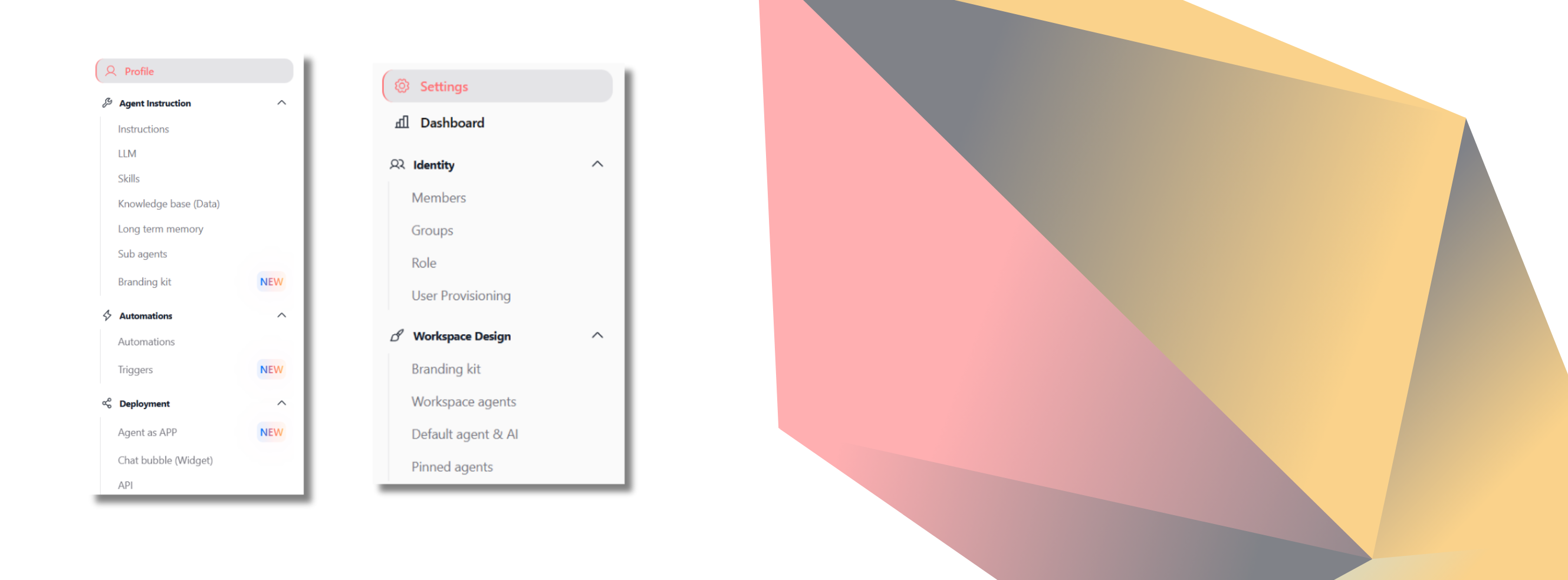
We've given a fresh new look to the Agent Configuration and Workspace Configuration areas, as well as the Agent Builder. The goal is simple: let you find your settings without having to search for them.
➡️ Reorganized menus: Your settings are now grouped by category across both agent and workspace settings. You can easily spot the option you need within a cleaner, more readable design.
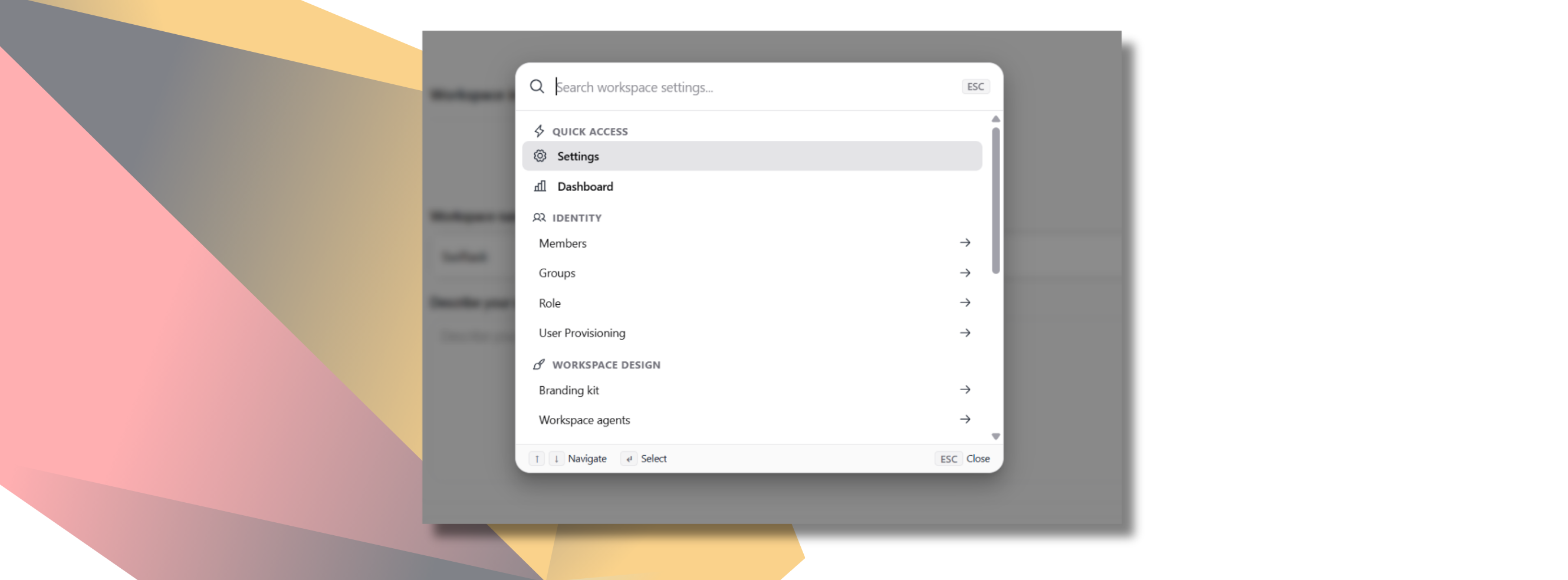
➡️ Quick access with Ctrl + K: Even faster than the menus. Press Ctrl + K (or ⌘ + K on Mac) from your workspace to open a search bar that displays all available menus at a glance. We’ve also refreshed the search layout to make it clearer and easier to browse.
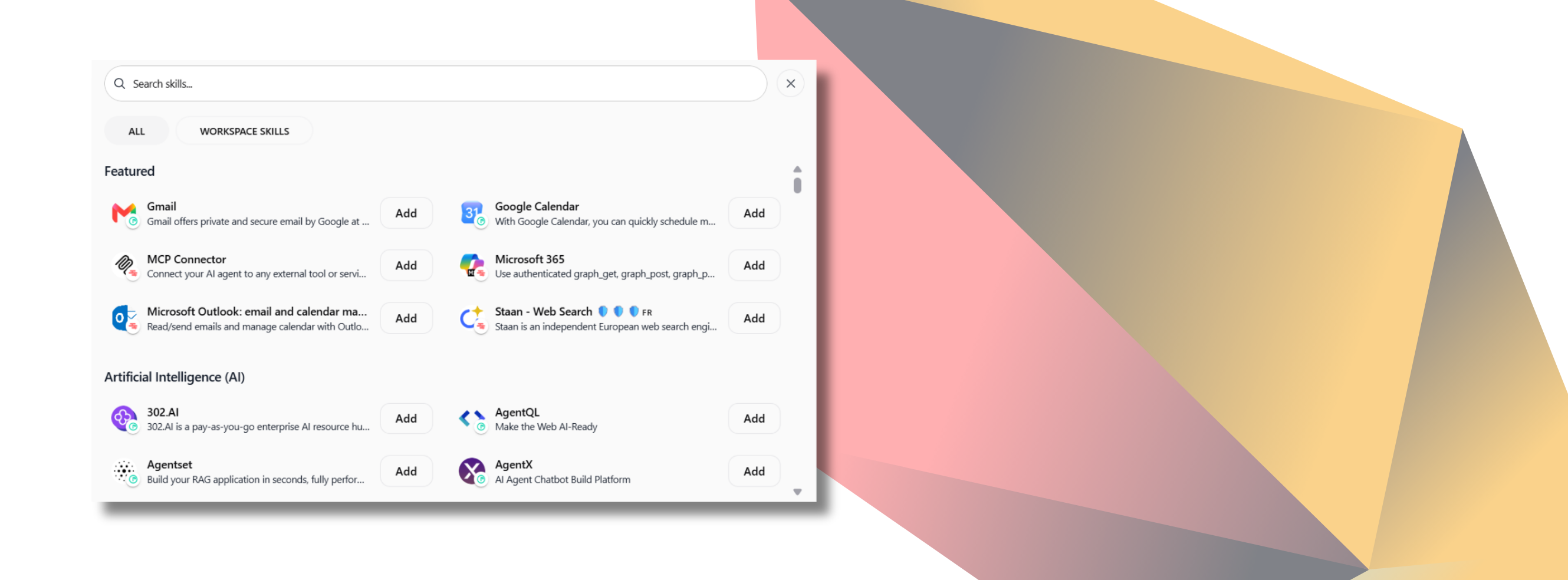
➡️ Redesigned skills journey screen: We’ve also overhauled this view. Browsing your agents' skills and adding a new one is now clearer and faster.
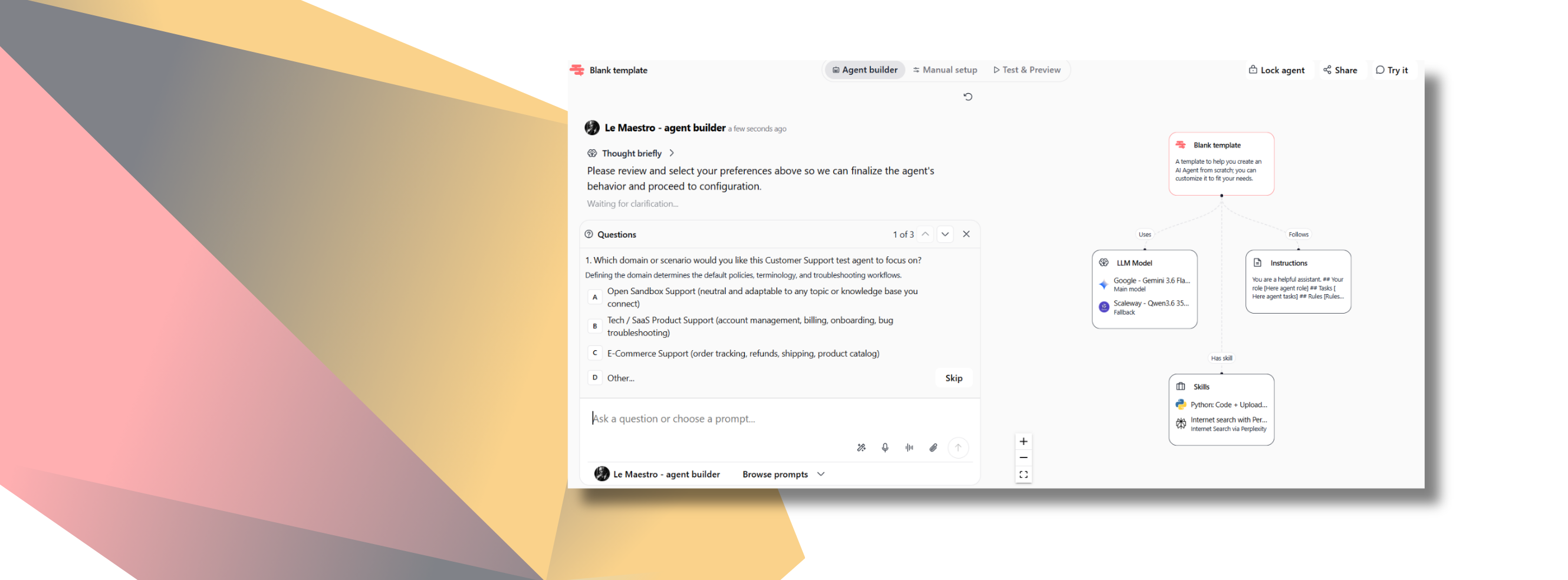
➡️ Clearer Maestro in the Agent Builder: When your prompt lacks detail, Maestro no longer guesses. Thanks to the Clarification skill, it asks for details directly within a redesigned interface and offers preset choices. You respond in one click, and it gets right back on track.
No action needed on your end. Your settings remain the same—they’re just much better organized.