Swiftask Update — Your meetings, now truly interactive
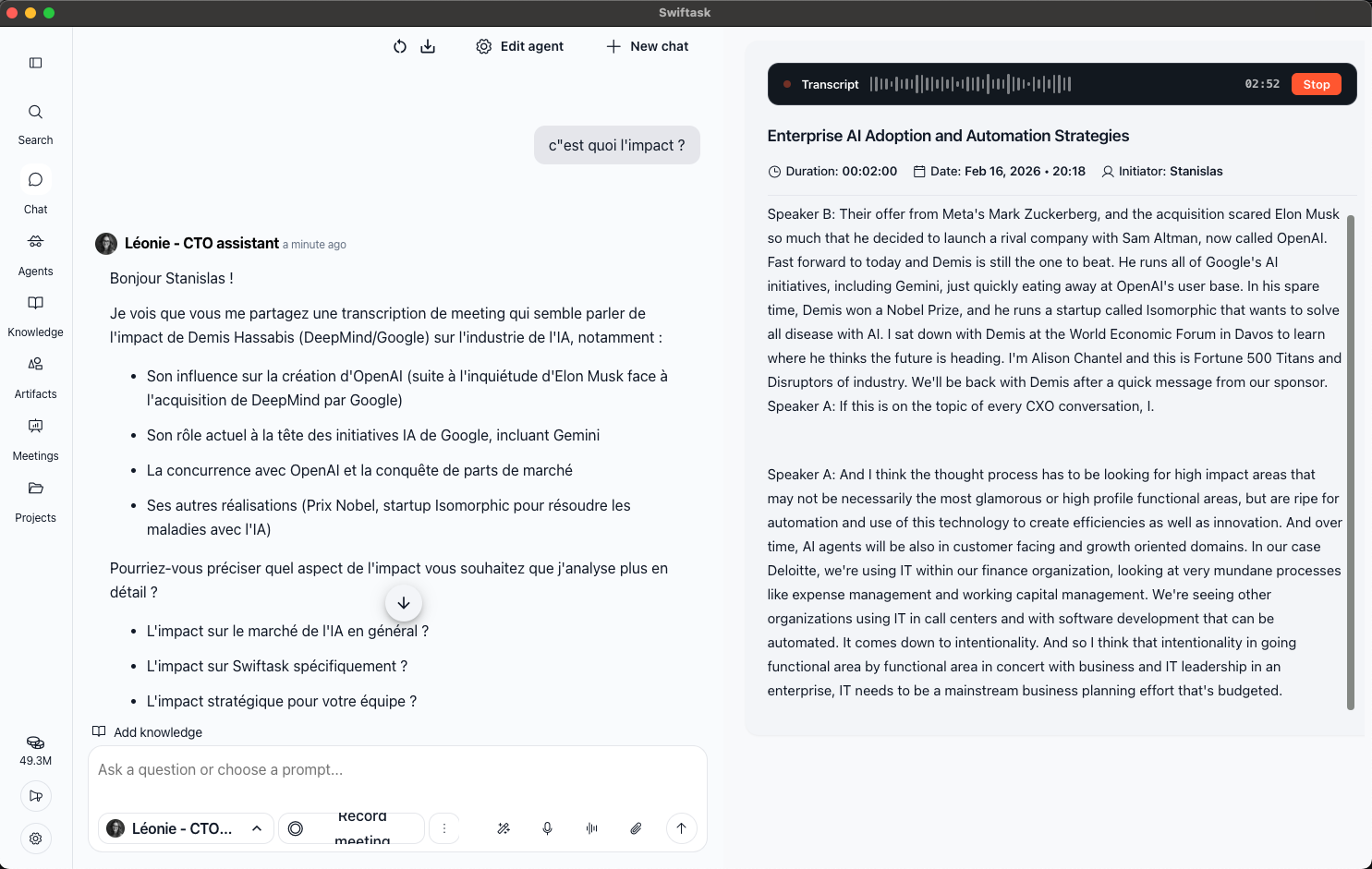
We've been listening. You told us meetings needed to feel more alive. This month, we made your recording sessions smarter, faster, and more interactive.
Enhanced meeting recording interface
We've improved the meeting recording experience with a redesigned interface and real-time collaboration features. You can now have discussions with AI while your meeting is actively recording, and see your transcription appear progressively as you speak.
Improved UI element positioning and design in the meeting interface
Real-time discussion capability during active meetings
Live transcription that updates every minute during recording
Enhanced chat panel for asking questions about meeting content while recording
Available on all plans when you start a meeting in Meetings → Record Meeting.
How to test it:
Navigate to Meetings in the left sidebar
Click "Record Meeting" to start a new recording
Notice the improved interface layout and design
Speak naturally and watch the transcription appear progressively
Use the chat panel on the right to ask questions about your meeting content in real-time
Experience the enhanced real-time discussion features during your active recording
Improvements
Meeting interface elements have been repositioned for better usability and visual clarity during recording sessions
Transcription now appears progressively during meetings rather than only after recording ends, updating approximately every minute for immediate feedback
Real-time AI discussion capabilities allow you to interact with meeting content while recording is in progress, making meetings more interactive and productive