Your prompts, finally organized: Meet the new Prompt Library — June 2026 Update
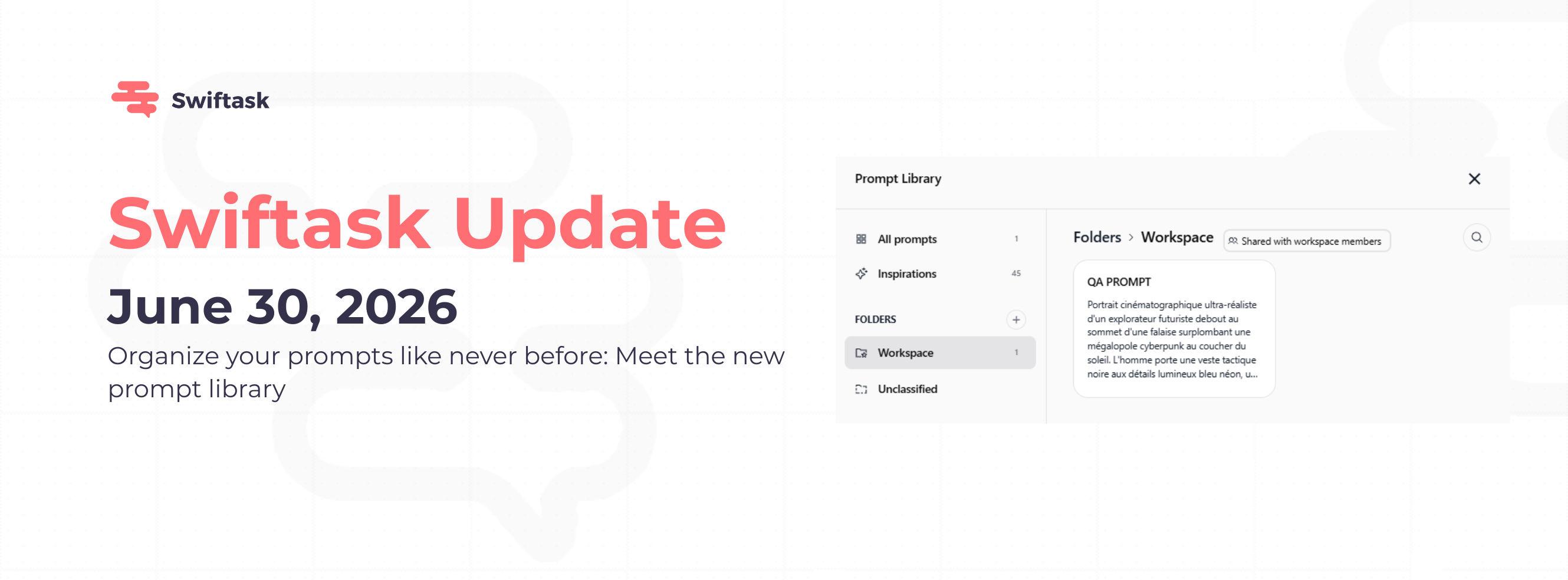
You asked for a better way to manage prompts. It's here. Organize prompts in folders, share them with your team, and insert them into Chat in one click, no more scrolling through a flat list.

Why this matters
Less time searching. Less time copying. Less friction for teams that use prompts every day.
Prompts scattered in a long list slow you down. Sharing them one by one is painful. And copy-pasting into Chat is a waste of clicks. The new Prompt Library fixes all three.
Folders that work like Notion or Google Drive
Group prompts by team, project, or use case. Folders keep your library clean and make prompts easy to find.
Create, rename, and delete folders directly from the library
Move prompts between folders in one action
Workspace folder, shared across your team by default
Inspirations folder, read-only prompts curated by Swiftask
Unclassified section catches prompts not yet sorted

Folder-level sharing with role-based access
Share an entire folder in one action instead of managing prompts one by one. Add users or groups, assign a role, and you're done.
User can use prompts in the folder
Admin can manage prompts and members
Owner: full control, including deletion
Share with individuals or groups; flexible for any team structure

One click to use a prompt in Chat
Click a prompt, hit Use Prompt, and it lands in your Chat input, ready to send. For prompts with dynamic values (#placeholders), fill the fields first, then insert.
No more copy-paste. No more context switching.
UI and performance improvements
Cleaner sidebar with folder badges showing prompt counts
Breadcrumb navigation to always know where you are
Faster search across all your prompts
Smoother folder navigation, even with large libraries
Availability
Available now on all Swiftask plans: Pro, Team Starter, Team Growth, and Custom.
Try it now: open Chat, click Browse prompts, and start organizing.