Test your skill connections before deploying — April 2026 Update
Connect your agents to 3,000+ tools, now with instant connection testing
As a reminder, Swiftask lets you integrate your agents with over 3,000 external tools and services, everything from CRM systems like Salesforce and HubSpot to communication platforms like Slack, email services, databases, and custom APIs. Today, we're making that integration process faster and more reliable.
Test your skill connections before deploying
We've added a "Test connection" button that lets you validate your integrations are properly configured before saving them to your agents. No more failed deployments due to connection issues.
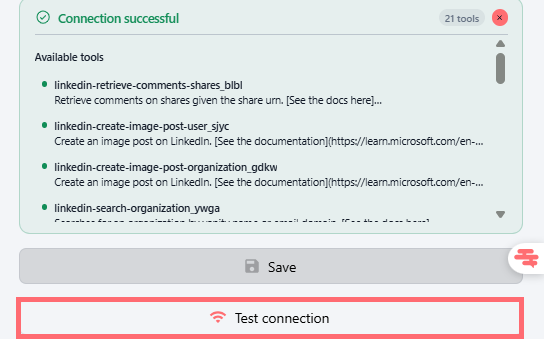
When you test a connection, you'll see either a success confirmation with a complete list of available tools the integration can perform, or a detailed error message telling you exactly what went wrong, so you can fix it right away.
Where to find it:
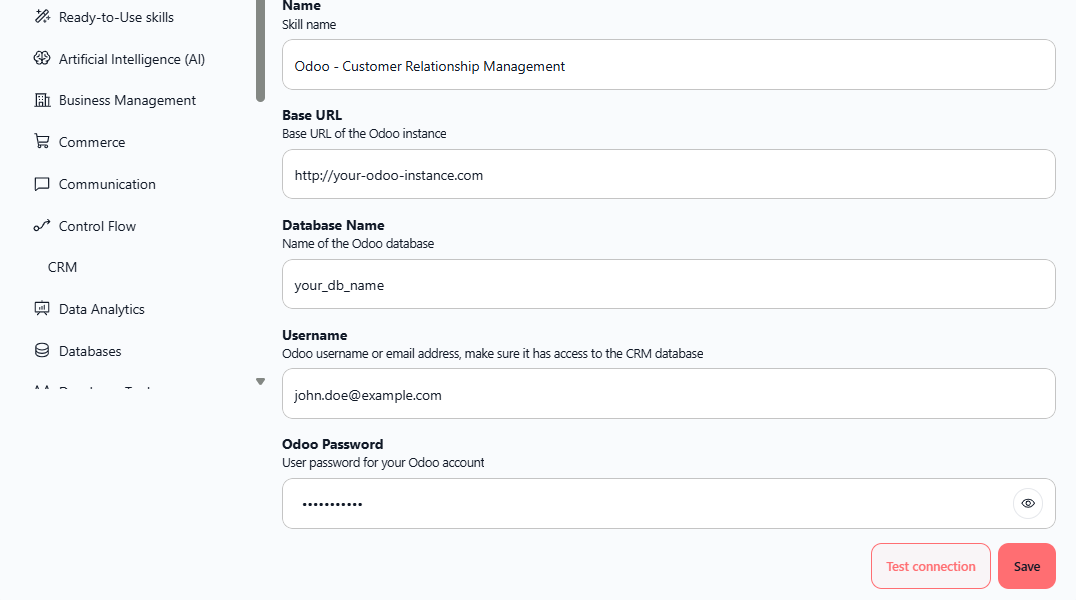
Adding a new skill: Skills → Add Skills → Search and configure your tool (e.g., Odoo, LinkedIn) → Click "Test connection" button before saving
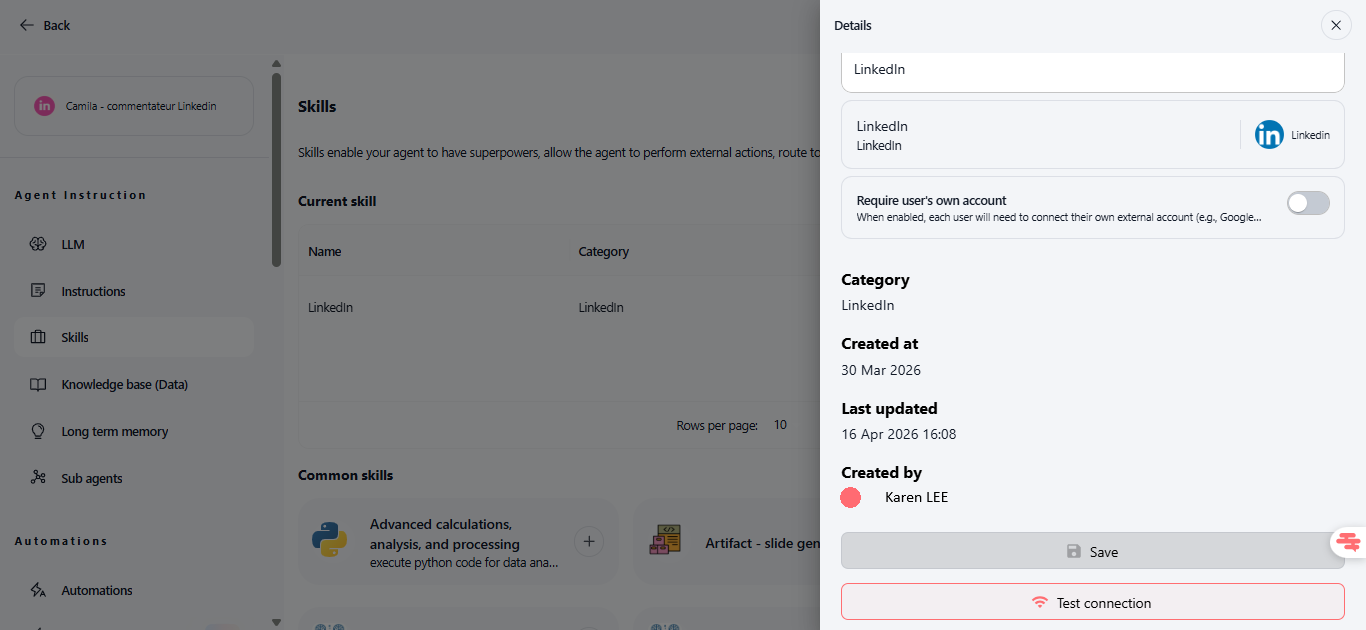
Editing an existing skill in an agent: Open the agent → Scroll to the skill → Open its details and scroll down → Click "Test connection" button next to Save
What you'll see:
✅ Connection successful: Green confirmation badge + list of available tools (e.g., "21 tools" for LinkedIn with specific actions like retrieve comments, create posts, etc.)
❌ Connection failed: Red error banner with the exact reason (e.g., "Could not connect to Odoo server — check your credentials")
Availability: All plans (Team, Pro, Team Starter, Team Growth, Custom)
How to test it:
Go to Skills → Click Add Skills
Search for and select an integration (e.g., Odoo, LinkedIn)
Fill in the required configuration fields (Base URL, Database Name, Username, Password, etc.)
Click "Test connection" button at the bottom
See the result: either a success message with available tools, or an error you can fix
Once confirmed, click Save to add the skill to your agent
Ready to explore the full library of 3,000+ integrations? Log in to your workspace, navigate to Skills, and browse the catalog. Every integration can now be tested before deployment, giving you confidence that your agents will work exactly as expected.