Create agent from scratch
Written By Stanislas
Last updated About 1 month ago
Overview
Starting an agent from scratch initializes a blank AI assistant without pre-configured instructions, skills, or constraints. It provides a clean foundation directly inside the manual configuration workspace.
This method gives you complete control over every parameter from day one. Choose this approach when existing templates do not match your operational requirements, when designing complex enterprise workflows, or when connecting custom tools and knowledge bases from the ground up.
Prerequisites
Before creating an agent from scratch, ensure you have:
A Swiftask account.
Access to the Agents section in your workspace.
Workspace permissions to create and manage agents.
Step-by-step guide
1. Open the agents section
In the left sidebar, click Agents to open your agent workspace.
Click the red Create agent button in the top-right corner.
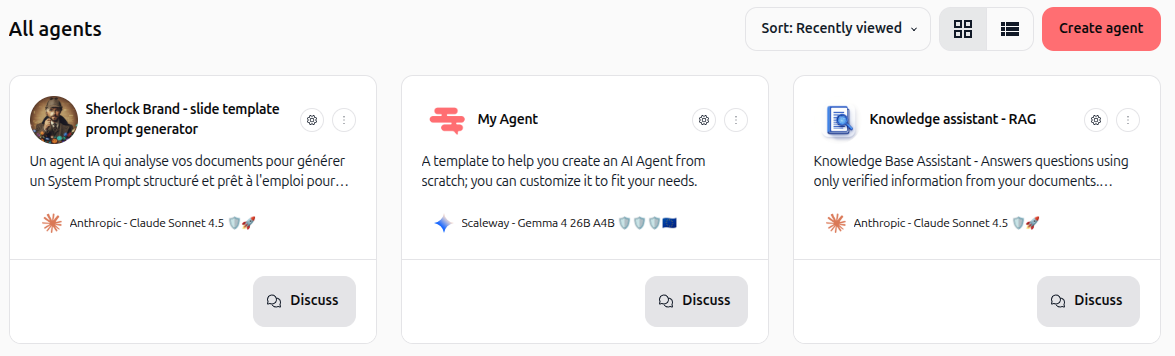
2. Select start from scratch
In the Create a new agent modal, click the Start from scratch option.
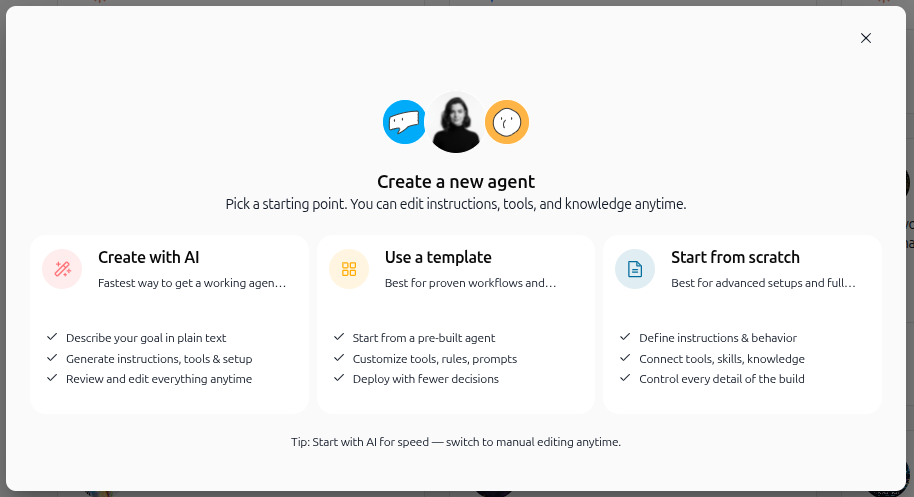
3. Access the blank configuration workspace
Swiftask initializes your new agent and opens the configuration interface in Manual setup mode.
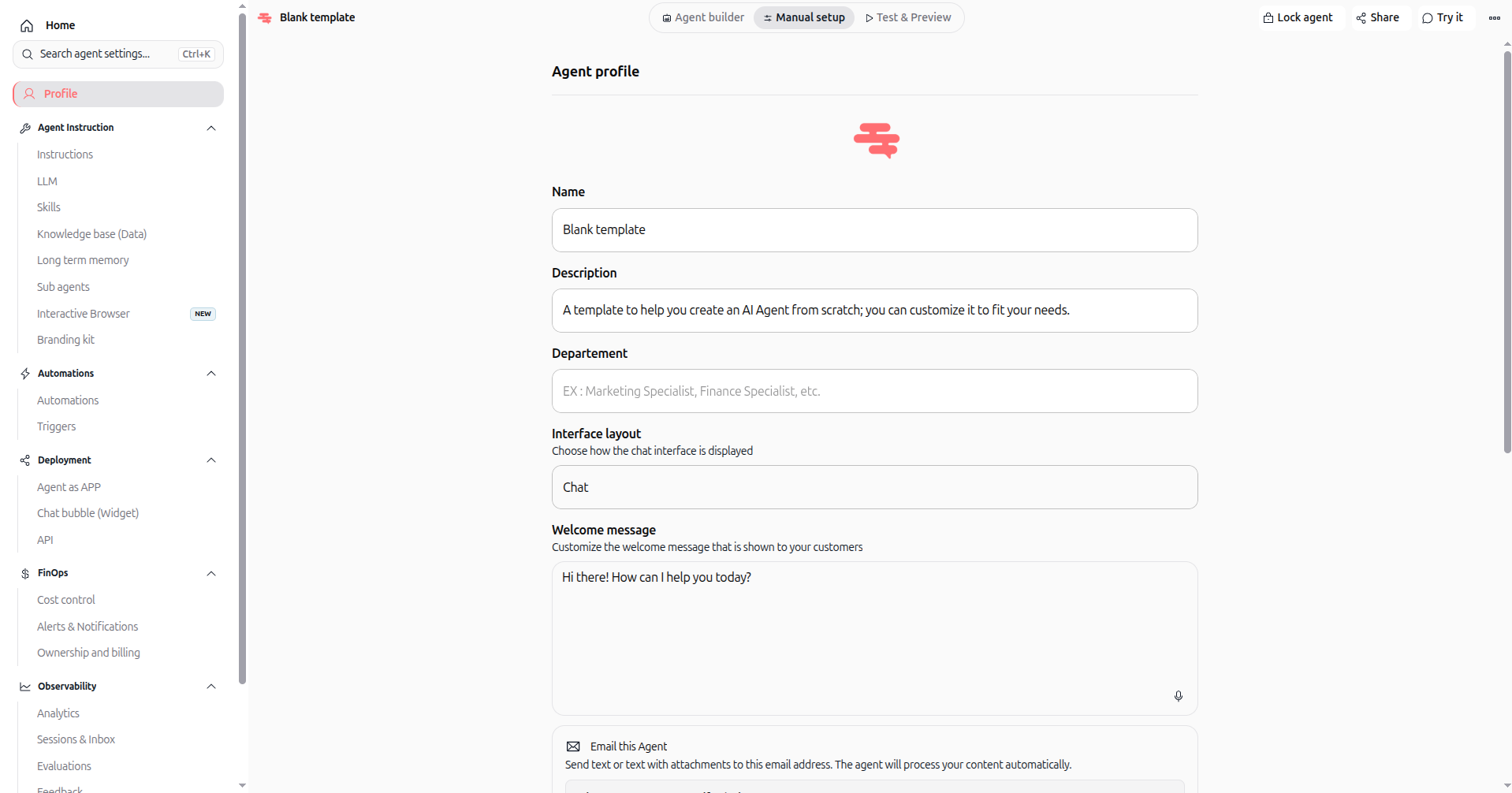
The agent opens to the Agent profile page with a default blank setup. From the left sidebar, you can configure:
Agent profile: Define the agent name, description, department, interface layout, and welcome message.
Agent instruction: Set core behavioral instructions, select language models (LLM), attach skills, connect knowledge bases, enable memory, or attach sub-agents.
Automations: Set up automated workflows and triggers.
Deployment & FinOps: Configure sharing, widgets, API access, and monitor credit usage.
Practical use cases
Custom enterprise workflows: Build specialized agents tailored to internal company procedures without inheriting pre-set template behaviors.
Tool and skill orchestration: Create an agent designed specifically to trigger external APIs, database lookups, or custom MCP skills.
Multi-agent routing: Build an orchestrator agent that coordinates tasks and delegates execution to specialized sub-agents.
Tips & best practices
Update identity immediately: Replace the placeholder name "Blank template" and default description with specific, descriptive information.
Build iteratively: Define basic instructions and test responses in the Test & Preview panel before adding skills or data sources.
Switch creation modes anytime: Use the top bar to switch between Manual setup and Agent builder whenever you prefer interactive AI guidance.
Troubleshooting
The Create agent button is not visible: Verify that your workspace role includes agent creation privileges.
Accidental redirection to AI builder: Click the Manual setup tab in the top navigation bar to return to manual form configuration.
Additional resources
Agent profile: Learn how to customize agent identity, display options, and greetings.
Instructions: Define persona, task scope, and behavioral rules.
Model selection (LLM): Configure primary models, fallback models, and reasoning levels.
Skills: Add AI tools and third-party integrations.
Create agent from template: Learn how to start with pre-built configurations.
Was this helpful?
Still need help? Ask the team